

Personalization 9.1 3.65M by Mixified Pixel ✪ 4.0
Android 5.0 or laterSep 22,2026
 Download
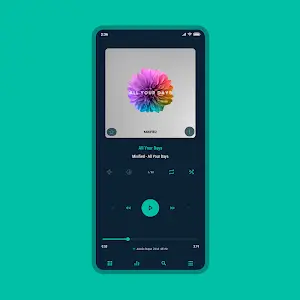
Allow us to introduce Aurora – Poweramp Skin, an innovative app redefining music personalization. More than just a skin, it's a dynamic canvas that visually enhances your music player, bringing your audio to life in vibrant new ways. This brief guide explores how Aurora transforms your Poweramp experience, putting you in control to tailor every detail to your taste. Get ready to discover a world of captivating design and functionality that will change how you engage with your digital music collection forever.
The first thing you'll notice with Aurora is the sheer range of customization at your command. Choose from 35 accent colors and 19 background colors—including classic black and white—to craft an interface that perfectly matches your mood or style. Aurora also fully supports Material You theming, enabling seamless integration with your device's dark and light modes.
Beyond that, Aurora offers three distinct player layouts and flexible track title alignment. To give your album art a dreamy ambiance, you can blur the background and overlay it with gradients or transparency effects—and there are four more options to explore. Customization reaches a deeper level with icon packs for your library, navigation, bottom buttons, equalizer, and V.T.R.S (Visual, Theme, Rating, Sort) menus. Tailor these icons by color, shape, corner radius, and size. The possibilities are virtually endless, empowering you to build a music player with a truly unique visual identity.
Aurora provides 28 distinct font styles, which you can pair with a variety of colors and sizes for text. Accent title color styles help your track metadata stand out. You can even capitalize text or change navigation text colors to suit your theme. For a cohesive design, select the text color for bottom navigation buttons.
If you appreciate fine details, Aurora won’t disappoint. Adjust the corner radius and opacity of header buttons and album art buttons. Customize your library’s middle-left track title, configure bottom button backgrounds and corner radius, and define the color and margins for the selected track. With Aurora, you can shape a music library that feels like a natural extension of your personal style.
Tweak navigation styles, background colors, and corner radii to match your visual preferences. Modify the player UI navigation background, offset the navbar, and set your preferred indicator color. For a clean, minimalist look, you can even set the navigation bar to be fully transparent.
Aurora even lets you personalize the look of your knob and equalizer. Alter their styles, shapes, corner radii, thumb styles, and indicator styles. Fine-tune the equalizer with different spectrum visualizations and button styles, making your audio experience as visually engaging as it is rich in sound.
With Aurora, album art is never static. Choose from various transition effects or define your own. Set custom album art sizes and corner styles for the player interface, library, and headers. Dynamic corners and art shadows add further polish, elevating the overall aesthetic.
Whether you prefer simplicity or intricate controls, Aurora has you covered. Configure pro buttons with different shapes, styles, and colors. Adjust wave bars and seek bars to match your taste. With a multitude of options, you can shape a music player that genuinely reflects your personality.
Aurora Poweramp Skin is a brilliant fusion of deep personalization and smooth functionality. Its extensive customization options empower you to create a music player that is uniquely yours, transforming your listening experience into something both audibly rich and visually stunning. Aurora elevates the Poweramp experience, ensuring your music is not just heard, but seen in true style.


Girls Frontline 2: Exilium Global Website Goes Live, Along With Its Socials!
Marvel Rivals: Understanding Bussing and Catching It
Top Skills to Prioritize for Yasuke in Assassin’s Creed Shadows
New Game Plus in Assassin's Creed Shadows: Confirmed?
Death Stranding 2 Release Date Unveiled in Massive Trailer
Assassin’s Creed Shadows Movements Reviewed by Two Parkour Athletes
Pokemon GO Leak Teases New Adventure Effects
Amazon Music Unlimited: Free 3-Month Trial Available

BULLPEN(MLBpark)
Download
NetShare - no-root-tethering
Download
ZEPETO: Avatar, Connect & Play
Download
Avatarify: AI Face Animator
Download
Cross DJ Pro - Mix & Remix
Download
Wynk Music: MP3, Song, Podcast
Download
Flat Equalizer - Bass Booster
Download
Magic Fluids: Fluid Wallpaper
Download
Collage Maker - Photo Editor
Download
Legend of YMIR Farming Guide for Early to Mid-Game Progression
Sep 28,2026
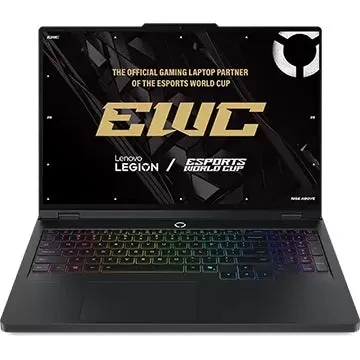
Lenovo Labor Day Sale: Top Deals on Legion Gaming Laptops
Sep 26,2026

Mongil: Star Dive has received its first post-launch update, introducing new character Mina
Sep 25,2026
John Wick 5 Will Be Very Different, Says Stahelski
Sep 22,2026
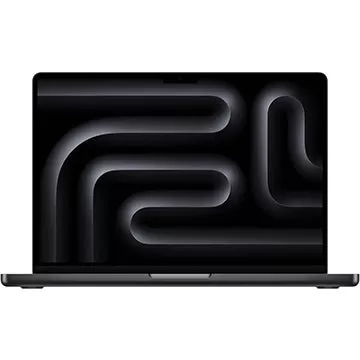
Adorama Is Clearing Out This Apple MacBook Pro M3 Pro Laptop by Offering a $700 Off Discount
Sep 20,2026
 Category












Discover the best professional photography software! This comprehensive review features top-rated apps like ReLens Camera, PhotoKit AI Photo Editor, Pixlr, YouCam Perfect - Photo Editor, GCamera: GCam & HD Pro Photos, Photo Studio PRO, Lightleap by Lightricks, Google Camera, PhotoShot, and Photoroom. Compare features, user reviews, and pricing to find the perfect app for your photography needs, whether you're a beginner or a pro. Enhance your images with AI-powered tools, advanced editing capabilities, and stunning filters. Elevate your photography game today!
Photoroom AI Photo Editor
Photo Studio PRO
ReLens Camera
Pixel Camera
Pixlr – Photo Editor
YouCam Perfect - Photo Editor
PhotoKit AI Photo Editor