
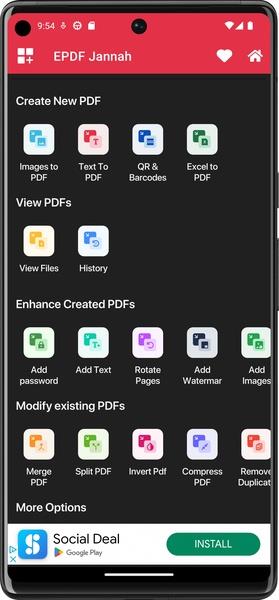
EPDFJannah is a lightweight PDF tool designed specifically for mobile devices. It offers a wide range of features for handling PDF files, making it a valuable tool for both personal and professional use.
One of the key advantages of EPDFJannah is its ability to edit every element of a PDF file. Unlike other PDF editors that may lack this functionality, EPDFJannah provides all the necessary utilities for comprehensive PDF editing. Users can personalize their documents by adding photos, adding custom text, rotating pages, and adding watermarks.
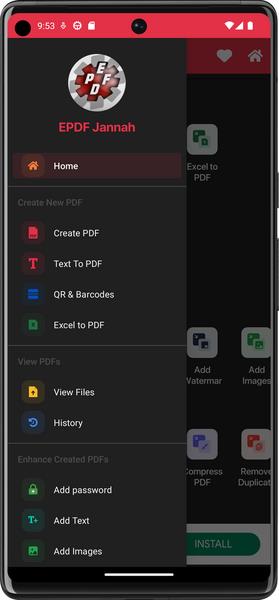
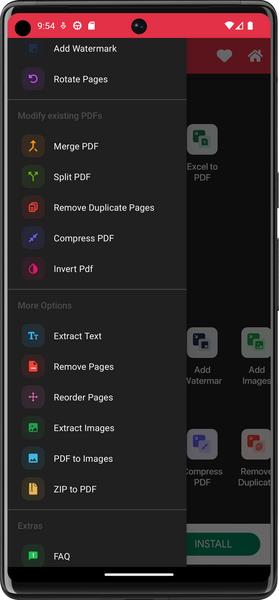
In terms of features, EPDFJannah offers a comprehensive set of options for PDF editing. Users can add passwords to PDF files, enhance PDFs, add custom text, rotate PDF pages, and add watermarks and custom watermarks. Importing images from the photo library and adding custom images are also supported. The ability to merge and split PDFs, backup PDFs, compress PDFs, remove duplicate and different pages, and reorder and organize pages makes this app versatile.
EPDFJannah also offers options for extracting pages, converting PDFs to images, extracting text, converting ZIP files to PDFs, and adding QR codes and barcodes. Users can scan QR codes and barcodes, as well as add signatures and password protection to PDFs. The app even includes photo editing features such as image compression, setting image scale type, filtering images, and setting page size.
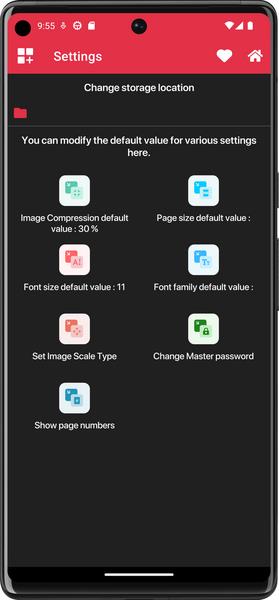
Other useful features include the ability to preview PDFs, add borders and manage them, create grayscale PDFs, add margins from all sides, and change page colors. The app allows users to display PDF page numbers and change font style, color, and size.
Available in 11 languages and with a light/dark theme option, EPDFJannah is an excellent tool that provides a comprehensive set of features for handling PDF files. Its user-friendly interface and wide range of functionalities make it appealing to users who are looking for a reliable PDF editor for their mobile devices.
Girls Frontline 2: Exilium Global Website Goes Live, Along With Its Socials!
Top Skills to Prioritize for Yasuke in Assassin’s Creed Shadows
Marvel Rivals: Understanding Bussing and Catching It
New Game Plus in Assassin's Creed Shadows: Confirmed?
Death Stranding 2 Release Date Unveiled in Massive Trailer
Assassin’s Creed Shadows Movements Reviewed by Two Parkour Athletes
Pokemon GO Leak Teases New Adventure Effects
Amazon Music Unlimited: Free 3-Month Trial Available

Genesis Mutants: Cyberpunk Card Strategy
Oct 23,2026

Hyrule Warriors: Age of Imprisonment Update 1.0.2 Adds New Quests & Weapons
Oct 19,2026
Itch.io Suddenly Pulls NSFW Adult Content From Browse and Search Pages, After 'Critical' Pressure From Payment Partners
Oct 19,2026

Polytopia's Fall World Championship Begins
Oct 18,2026

“Sure, go right ahead!” Crossword Clue - Try Hard Guides
Oct 11,2026
 Category

 Download











Discover the best professional photography software! This comprehensive review features top-rated apps like ReLens Camera, PhotoKit AI Photo Editor, Pixlr, YouCam Perfect - Photo Editor, GCamera: GCam & HD Pro Photos, Photo Studio PRO, Lightleap by Lightricks, Google Camera, PhotoShot, and Photoroom. Compare features, user reviews, and pricing to find the perfect app for your photography needs, whether you're a beginner or a pro. Enhance your images with AI-powered tools, advanced editing capabilities, and stunning filters. Elevate your photography game today!
Photoroom AI Photo Editor
Photo Studio PRO
ReLens Camera
Pixel Camera
Pixlr – Photo Editor
YouCam Perfect - Photo Editor
PhotoKit AI Photo Editor