
Personalization 1.2.7 214.83M by Remux ✪ 4.2
Android 5.1 or laterFeb 10,2025
 Download
Remux: Your All-in-One Video Converter and Compressor
Effortlessly transform your videos with Remux, the free, versatile video processing app. Convert videos to virtually any format – MP3, MP4, MOV, and more – or extract audio tracks with ease. Supporting a vast array of codecs, including Flash, HEVC, AAC, and FLAC, Remux ensures high-quality conversions without compatibility issues.
Extensive Format Support: Convert videos to MP3, MP4, MOV, WebM, MKV, HEVC, WMV, AVI, FLV, and many more. Extract audio as MP3, M4A, WAV, AIF, or FLAC.
Broad Codec Compatibility: Remux handles a wide range of video and audio codecs, such as Flash, HEVC, VP9, AV1, MPEG2, MPEG4, H.264, H.265, AAC, and FLAC, guaranteeing seamless conversions.
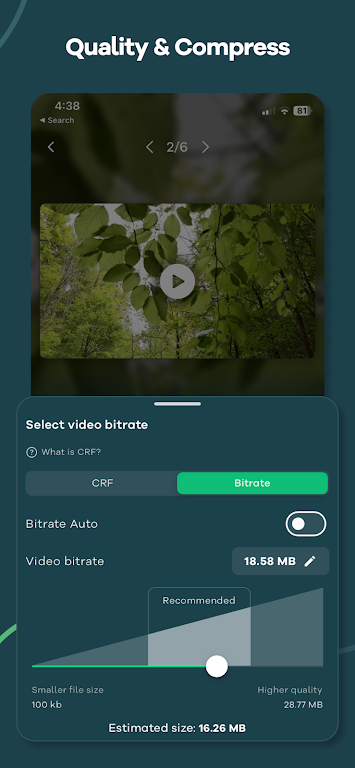
Powerful Compression: Reduce video file sizes significantly without noticeable quality loss, ideal for storage optimization or sharing over limited bandwidth.
Batch Processing: Convert or compress multiple videos simultaneously, saving you valuable time and effort.
Presets for Every Need: Choose from over 25+ optimized presets tailored for various priorities, including video quality, speed, compatibility with older devices, and more.
Customizable Settings: Fine-tune your conversions with granular control over bitrate, codecs, resolution, FPS, pixel format, audio tracks, and more. Edit your videos by cropping, rotating, trimming, and flipping.
Remux is a comprehensive solution for all your video conversion and compression needs. Its user-friendly interface, coupled with powerful features and customizable settings, makes it the perfect tool for both casual users and video enthusiasts. Download Remux today and experience the difference!
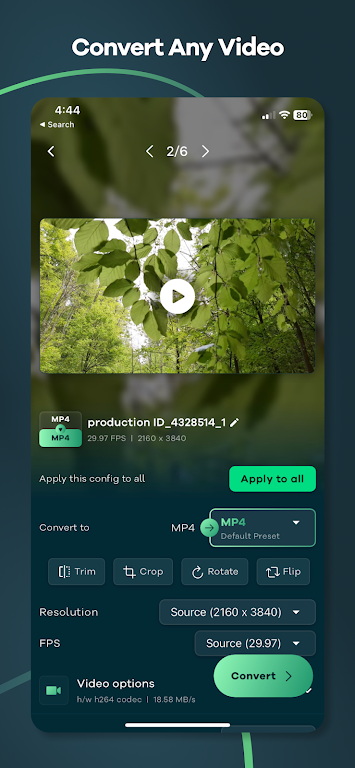
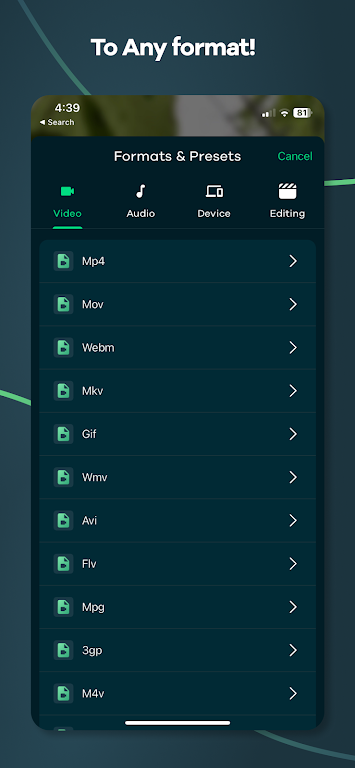
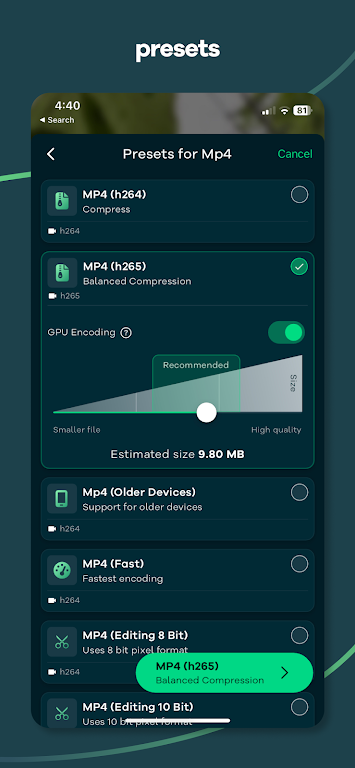
Just tried this app and it's a game-changer! I converted a 4K video to MP4 in seconds with no quality loss. The interface is super clean and easy to use. Definitely worth 5 stars. Highly recommend for anyone dealing with video files! 🎥🔥
Girls Frontline 2: Exilium Global Website Goes Live, Along With Its Socials!
Marvel Rivals: Understanding Bussing and Catching It
New Game Plus in Assassin's Creed Shadows: Confirmed?
Top Skills to Prioritize for Yasuke in Assassin’s Creed Shadows
Death Stranding 2 Release Date Unveiled in Massive Trailer
Assassin’s Creed Shadows Movements Reviewed by Two Parkour Athletes
Pokemon GO Leak Teases New Adventure Effects
Amazon Music Unlimited: Free 3-Month Trial Available

Fantastic Four Trailer Reveals Silver Surfer Amid Galactus Threat
May 27,2026

Legend of Zelda: Age of Imprisonment Declared Canon
May 27,2026

Rust Mobile drops a brand new trailer ahead of its appearance at Gamescom 2025
May 25,2026

Oni Press Unveils Mind-Bending Series Inspired by Philip K. Dick
May 22,2026

Monster Hunter Board Game: Guide & Expansions
May 22,2026
 Category






















Discover the best professional photography software! This comprehensive review features top-rated apps like ReLens Camera, PhotoKit AI Photo Editor, Pixlr, YouCam Perfect - Photo Editor, GCamera: GCam & HD Pro Photos, Photo Studio PRO, Lightleap by Lightricks, Google Camera, PhotoShot, and Photoroom. Compare features, user reviews, and pricing to find the perfect app for your photography needs, whether you're a beginner or a pro. Enhance your images with AI-powered tools, advanced editing capabilities, and stunning filters. Elevate your photography game today!
Photoroom AI Photo Editor
Photo Studio PRO
ReLens Camera
Pixel Camera
Pixlr – Photo Editor
YouCam Perfect - Photo Editor
PhotoKit AI Photo Editor