by Jacob Mar 14,2025
Playing Draconia Saga on BlueStacks significantly enhances your gaming experience. BlueStacks provides powerful tools like Keymapping, Multi-Instance, and Macro Recorder, boosting control, efficiency, and multitasking for a richer Arcadia adventure. This guide details these tools and their effective use.
Precise controls are vital in Draconia Saga's action combat. BlueStacks' Keymapping Tool replaces cumbersome touchscreen controls with mouse and keyboard input, providing superior control over character movement and attacks. This ensures easier evasion of enemy attacks and allows for more skillful maneuvering, especially crucial when dodging area-of-effect attacks and responding to enemy actions.
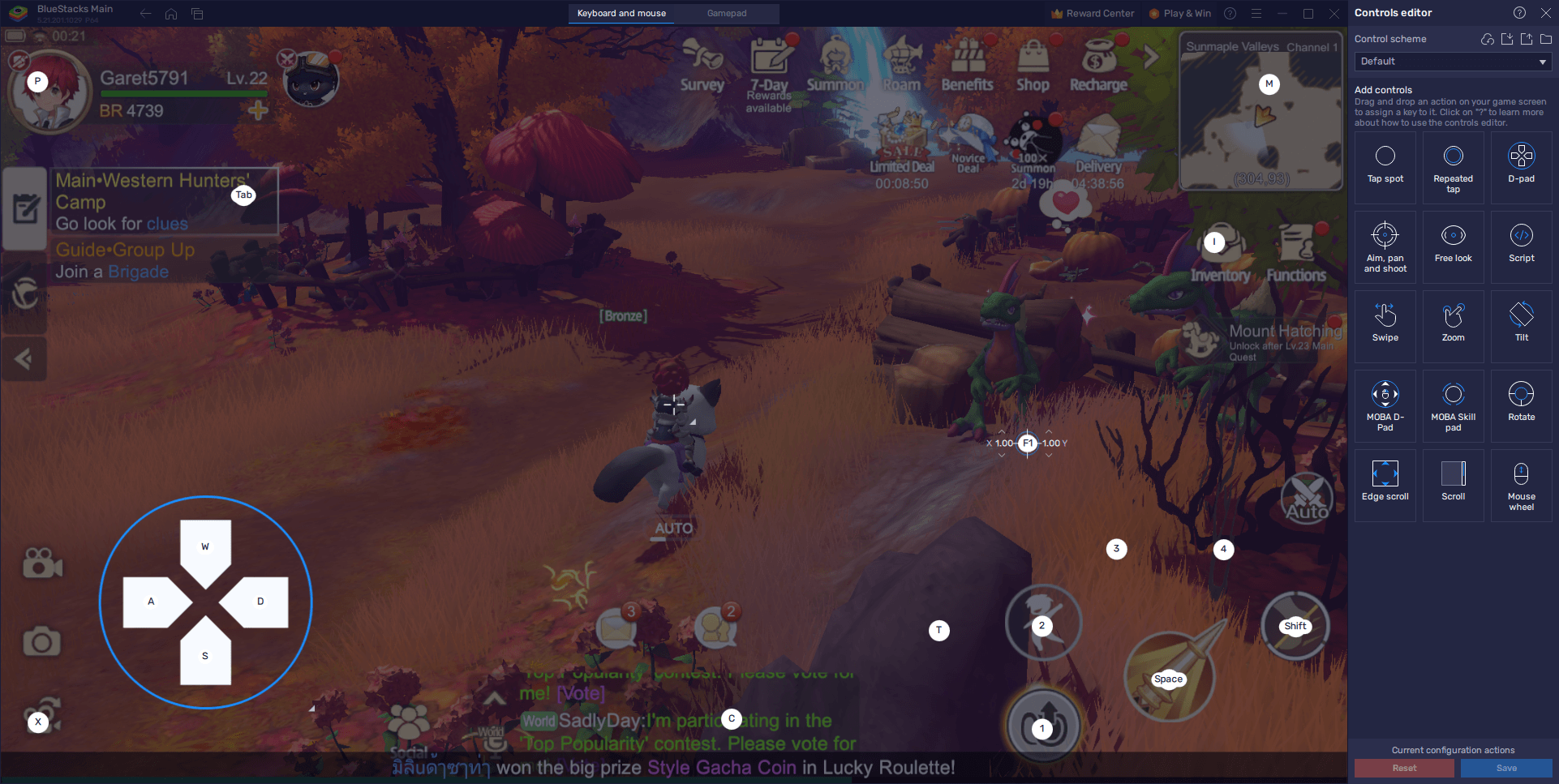
BlueStacks offers several features to optimize your Draconia Saga gameplay. Keymapping provides superior control, while maximizing visual settings ensures optimal graphics and frame rates. The Macro Recorder automates repetitive tasks, freeing you to focus on the game's engaging aspects. These tips ensure a seamless and immersive Draconia Saga experience on PC or laptop with BlueStacks. Enjoy your Arcadia adventure!
Girls Frontline 2: Exilium Global Website Goes Live, Along With Its Socials!
Marvel Rivals: Understanding Bussing and Catching It
New Game Plus in Assassin's Creed Shadows: Confirmed?
Top Skills to Prioritize for Yasuke in Assassin’s Creed Shadows
Assassin’s Creed Shadows Movements Reviewed by Two Parkour Athletes
Death Stranding 2 Release Date Unveiled in Massive Trailer
Pokemon GO Leak Teases New Adventure Effects
Amazon Music Unlimited: Free 3-Month Trial Available
Endless Grades: Pixel Saga – The Best Tips & Tricks To Boost Your Progression
Apr 22,2026
Foretales: Card Game Shapes Apocalyptic Fate
Apr 20,2026

Once Human: Best Builds for PvE and PvP
Apr 17,2026
Galaxy Defense Fortress TD: Dominate with Strategy
Apr 16,2026
Bandai Namco Remasters Another Tales Game, Likely Xillia
Apr 14,2026
 Category