by Layla Feb 23,2025
Path of Exile 2's Currency Exchange: Mastering Currency Conversions
Path of Exile 2's Currency Exchange is crucial for trading and crafting. It lets you convert lower-tier currencies into higher-tier ones. However, exchange rates are dynamic and finding the current rates requires checking in-game.
How to Check Currency Exchange Rates
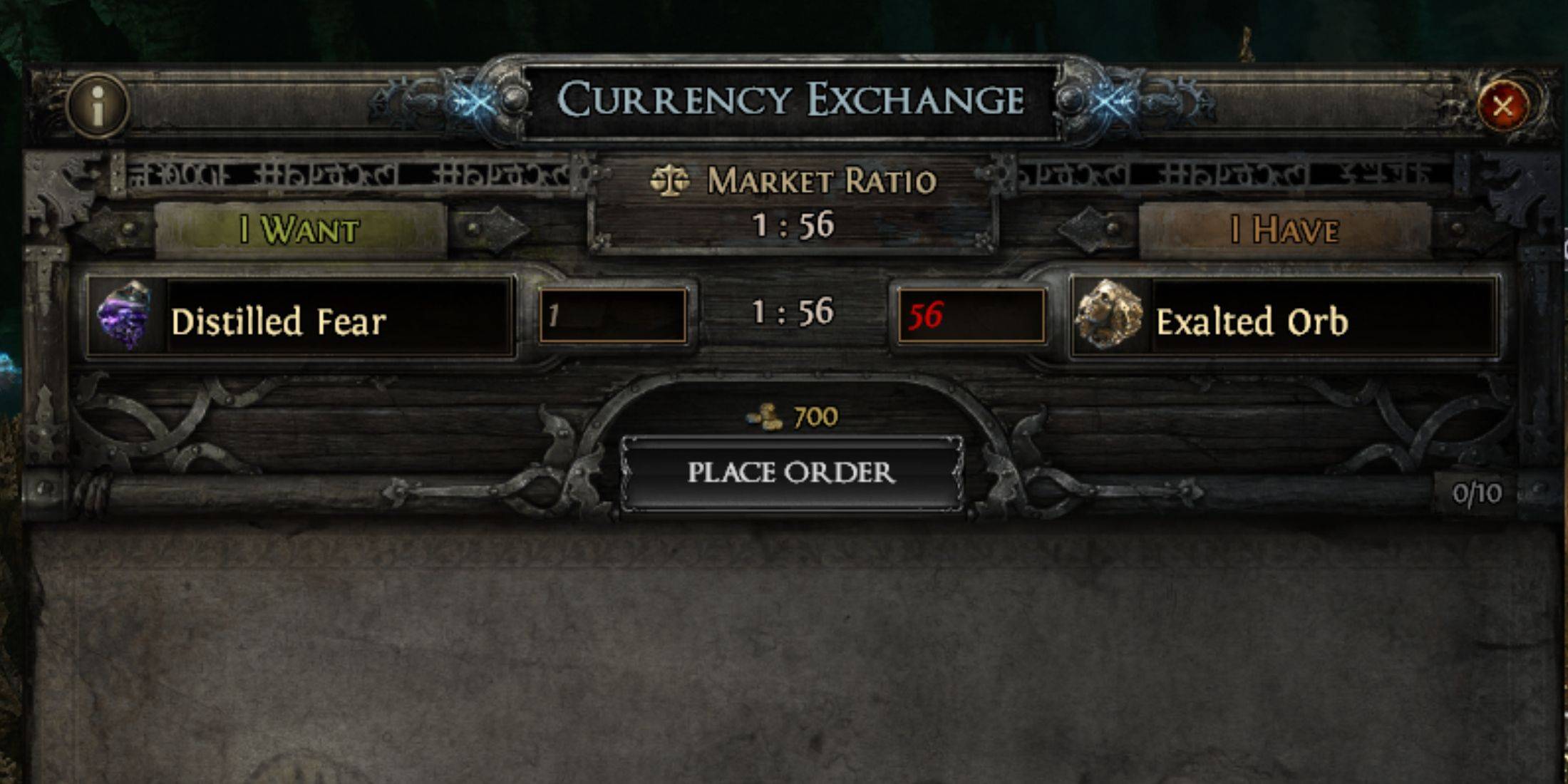
Access the Exchange: Locate the gambling vendor in any Act after reaching Cruel Difficulty. Interact to open the Currency Exchange menu. You'll see two currency selection boxes.
Select Desired Currency: In the left box ("Want"), choose the currency you desire (e.g., a Divine Orb).
Select Available Currency: In the right box ("Have"), select the currency you're offering from your inventory and stashes (e.g., Exalted Orbs).
View Conversion Rate: The exchange rate appears between the boxes. This shows how much of your chosen currency is needed to obtain the desired currency.
Reverse Conversion: The process works in reverse. If you want to convert a Divine Orb into Exalted Orbs, select the Exalted Orb in the "Want" box and your Divine Orb in the "Have" box.
Dynamic Rates: Remember, rates change frequently. Check often for the best deals.
Unavailable Conversions: If a conversion isn't possible (like Divine Orbs for Scrolls of Wisdom), no rate will be shown.
This guide ensures you can effectively utilize the Currency Exchange in Path of Exile 2, maximizing your currency's value.
Girls Frontline 2: Exilium Global Website Goes Live, Along With Its Socials!
Marvel Rivals: Understanding Bussing and Catching It
New Game Plus in Assassin's Creed Shadows: Confirmed?
Top Skills to Prioritize for Yasuke in Assassin’s Creed Shadows
Assassin’s Creed Shadows Movements Reviewed by Two Parkour Athletes
Death Stranding 2 Release Date Unveiled in Massive Trailer
Pokemon GO Leak Teases New Adventure Effects
Amazon Music Unlimited: Free 3-Month Trial Available
Gaming Monitors Impress at Computex 2025
Apr 29,2026

Netflix will soon offer interactive party games you and your friends can play via mobile
Apr 27,2026

Marvel Contest Semi-Finalists Revealed for Battlerealm Brawl
Apr 25,2026

Endless Grades: Pixel Saga – The Best Tips & Tricks To Boost Your Progression
Apr 22,2026
Foretales: Card Game Shapes Apocalyptic Fate
Apr 20,2026
 Category