by Ryan Mar 18,2025
Elevate your gaming precision with the right mouse pad. A premium mouse pad significantly enhances mouse tracking and accuracy, potentially changing the game's outcome. Features like spill-proof surfaces, anti-skid bases, and even RGB lighting add functionality and style. Explore the diverse options available to find your perfect match.
TL; DR – Top Gaming Mouse Pads:
---------------------------------------------- Our Top Pick: Corsair MM200 Pro Premium
 SteelSeries QCK Medium
 Razer Acari
 Cooler Master MP510
 Artisan Ninja FX Shidenkai
 Cooler Master MP511
 Razer Sphex V3
 SteelSeries QcK Prism Cloth 5XL
 Razer Firefly V2
 Razer Atlas
Budget-conscious gamers can find excellent mouse pads without breaking the bank. Whether you need an XXL pad, a match for your keyboard and mouse, or something else entirely, we've compiled the best options.
This 6mm thick, plush rubber mouse pad features densely woven fabric for smooth gliding and an anti-skid base. Its spill-proof and stain-resistant surface ensures durability, while stitched edges prevent fraying.
For under $10, this mouse pad delivers a smooth, tightly stitched fabric surface perfect for budget-conscious gamers. Its thin and flexible design allows for easy portability.
Experience superior accuracy with the Razer Acari's hard nano-bead textured surface. Its waterproof design ensures longevity.
The Cooler Master MP510 uses ultra-durable nylon for precise control and spill resistance. Its textured surface and anti-fray stitching enhance its longevity.
Experience the best of both worlds with the Artisan Ninja FX Shidenkai. Its soft, glass-bead embedded surface offers both smooth gliding and precise stopping power.
Built with durable Cordura fabric, the Cooler Master MP511 resists wear and tear, spills, and sweat. Its smooth gliding surface ensures optimal comfort.
The ultra-thin Razer Sphex V3 features an adhesive base and hard polycarbonate build for a sturdy, almost imperceptible feel.
Cover your entire desk with the SteelSeries QcK Prism Cloth 5XL's massive size and smooth, micro-woven cloth surface. Enjoy added flair with its integrated RGB lighting.
Add vibrant RGB lighting to your setup with the Razer Firefly V2. Its slim profile and hard surface ensure precise movements, while its integrated mouse bungee keeps your cord tidy.
Experience lightning-fast movements with the Razer Atlas's glass surface. Its optimized texture ensures near-perfect tracking for optical sensors.
Mouse pads offer smooth or rough surfaces, catering to different play styles. Cloth pads often provide more control, while slick hard pads are ideal for fast movements. Material choices include cloth, plastic, metal, glass, and acrylic, each with its own advantages.
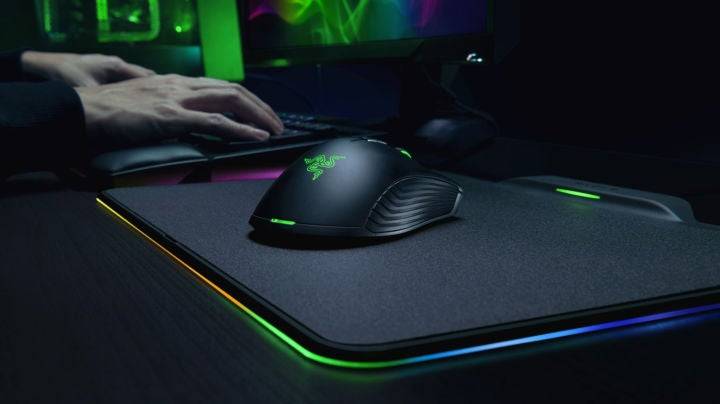
Consider your preferred play style and gaming genre when selecting a mouse pad. While any mouse pad is better than none, careful consideration will optimize your gaming experience.
Also see: How to Clean Your Mouse Pad.
Expect 3-5 years of use, depending on usage and material. Regular cleaning can extend its lifespan.
Yes, mouse pads significantly enhance gaming by providing a consistent, smooth surface for precise mouse control and preventing desk wear.
While some lapdesks include built-in mouse pads, adding a separate one can improve mouse control and prevent slippage.
Girls Frontline 2: Exilium Global Website Goes Live, Along With Its Socials!
Marvel Rivals: Understanding Bussing and Catching It
New Game Plus in Assassin's Creed Shadows: Confirmed?
Top Skills to Prioritize for Yasuke in Assassin’s Creed Shadows
Assassin’s Creed Shadows Movements Reviewed by Two Parkour Athletes
Death Stranding 2 Release Date Unveiled in Massive Trailer
Pokemon GO Leak Teases New Adventure Effects
Amazon Music Unlimited: Free 3-Month Trial Available

Ahsoka Revealed at Star Wars Celebration
Apr 09,2026
Netflix and PBS to Stream New Sesame Street Episodes After HBO Max Deal Ends
Apr 07,2026

Eternity's Bastion Season 2 Debuts Post-EVA 2025 Triumph
Apr 02,2026

Alien RPG: Idle Space Farm Guide
Apr 02,2026
GOG unveils one-click mods, Skyblivion arrives this year
Mar 30,2026
 Category