
Color tons of adorable coloring pages with fun and easy-to-use painting tools!
Splash of Fun Coloring Game lets you enjoy the experience of traditional art with tools like paints, crayons, and felt-tip pens. Children and parents can create their own little masterpieces, achieving effects similar to those on paper. Designed with the youngest in mind (tested with four- and five-year-olds), this game also offers plenty of colorful enjoyment for older kids and adults.
You can play in the following ways:
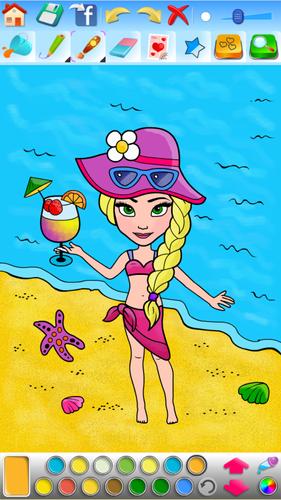
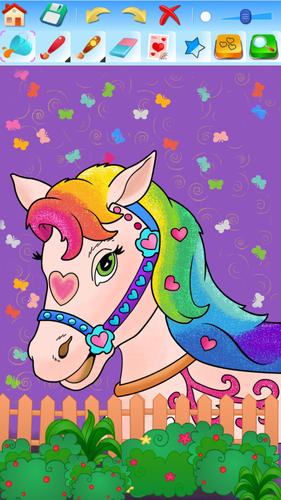
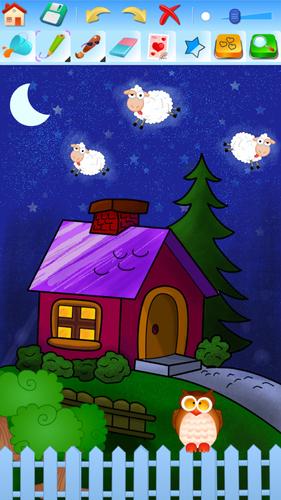
- Color pre-made images chosen from the library,
- Or create your own 'masterpieces' using the provided art supplies.
Younger children will find many pictures to color using a bucket tool that fills large areas instantly. Older kids and adults can draw their own creatures and scenes, then color them with a wash of paint, crayon, or spray. You can add highlights and shadows, correct mistakes with an eraser, use undo and redo, or change the size of any coloring tool.
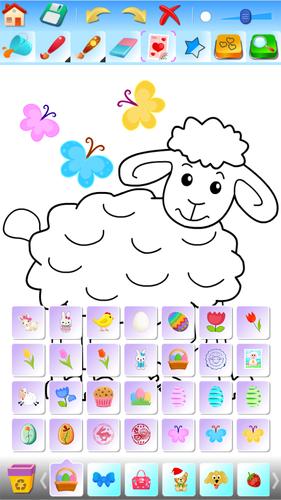
Decorate your image with small, colorful stamps to make it even more engaging.
Choose colors from several palettes—each containing 14 colors. Any color can be swapped for another to match your needs and taste. Use the extended color palette, color field, and color slider to adjust hue and shade to your preference. The color picker tool lets you select any shade directly from the image you're working on.
The images are organized into the following categories:
- For girls—princesses, castles, and unicorns,
- For boys—dinosaurs, vehicles, and adventure,
- Animals and nature,
- Fruit and vegetables,
- Holidays and special occasions: Christmas and winter, Halloween, Easter, Valentine's Day.
Additional features include:
- Save your projects and return to them later,
- Share saved images via email or Facebook,
- Resume your current project anytime,
- Listen to pleasant background music (with the option to turn it off),
- Zoom in and out for more detailed coloring,
- Decorate images with fun, colorful stamps.
Girls Frontline 2: Exilium Global Website Goes Live, Along With Its Socials!
Marvel Rivals: Understanding Bussing and Catching It
New Game Plus in Assassin's Creed Shadows: Confirmed?
Top Skills to Prioritize for Yasuke in Assassin’s Creed Shadows
Assassin’s Creed Shadows Movements Reviewed by Two Parkour Athletes
Death Stranding 2 Release Date Unveiled in Massive Trailer
Pokemon GO Leak Teases New Adventure Effects
Amazon Music Unlimited: Free 3-Month Trial Available

Unison League teams up with Hatsune Miku and top Vocaloid idols
May 02,2026

Shelby American Teams With PUBG Mobile
May 02,2026
Capcom Teases Resident Evil 9 Celebrating RE4 Sales
Apr 30,2026
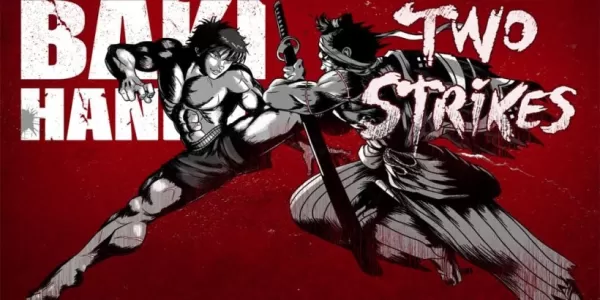
Baki the Grappler Joins Two Strikes on Crunchyroll Game Vault
Apr 30,2026
Gaming Monitors Impress at Computex 2025
Apr 29,2026
 Category
 Download













Discover the best professional photography software! This comprehensive review features top-rated apps like ReLens Camera, PhotoKit AI Photo Editor, Pixlr, YouCam Perfect - Photo Editor, GCamera: GCam & HD Pro Photos, Photo Studio PRO, Lightleap by Lightricks, Google Camera, PhotoShot, and Photoroom. Compare features, user reviews, and pricing to find the perfect app for your photography needs, whether you're a beginner or a pro. Enhance your images with AI-powered tools, advanced editing capabilities, and stunning filters. Elevate your photography game today!
Photoroom AI Photo Editor
Photo Studio PRO
ReLens Camera
Pixel Camera
Pixlr – Photo Editor
YouCam Perfect - Photo Editor
PhotoKit AI Photo Editor