
Built-in camera enhancement system
Fantastic scene recording
Snapshot capture during video recording
Real-time updates to recorded content
Multiple timestamped format options
Conclusion
Timestamp Camera is a powerful app designed to elevate the realism and functionality of smartphone cameras. With an intuitive interface and advanced AI-driven customization, it delivers impressive improvements to both photos and videos. The app seamlessly overlays essential details like location, date, and time directly onto images and videos in a clean, readable format—similar to how digital cameras display metadata. In short, it ensures high-quality media while clearly communicating key contextual information such as geographic origin and capture time.
The intelligent camera system delivers vivid, immersive images with optimized color balance and brightness. Powered by AI, it automatically adjusts exposure and tone based on preset profiles, helping users achieve artistic results with minimal effort. With extensive customization options, every photographer can tailor the experience to match their personal style and creative vision.
The video recording feature is enhanced to produce professional-grade footage. Built-in video presets allow instant adjustments to color grading, contrast, and lighting, enabling users to generate stunning visual effects with ease. The flexible editing tools offer endless creative possibilities, empowering users to produce dynamic and visually compelling videos.
Timestamp Camera lets you instantly capture key moments from a video without interrupting the recording. The system extracts high-quality frames directly from the video stream, preserving full resolution and clarity. This ensures seamless recording continuity while giving you a sharp, detailed image from the video content—no conversion or quality loss involved.
During video capture, users can enrich their recordings by adding text, emojis, and other visual elements on the fly. The ability to insert, edit, or remove elements in real time makes videos more expressive and engaging. Additionally, users can tweak recording presets and incorporate new media elements on the go for maximum flexibility and creativity.
Photos and videos can be enriched with customizable timestamps that reveal when and where they were captured. With a wide array of personalization settings, users can choose which details to display—such as date, time, location, or custom notes—offering full control over metadata visibility. The app supports all standard location data formats, ensuring compatibility and flexibility across different use cases.
In summary, Timestamp Camera is a highly effective mobile app that adds rich contextual details to photos and videos. Its automatic timestamp and GPS integration, combined with customizable text, logo, and watermark overlays, makes it a versatile tool for everyday users and content creators alike. With a user-friendly design and powerful features, it’s an ideal solution for anyone seeking a simple yet advanced way to enhance media with accurate, informative metadata.


Girls Frontline 2: Exilium Global Website Goes Live, Along With Its Socials!
Marvel Rivals: Understanding Bussing and Catching It
Top Skills to Prioritize for Yasuke in Assassin’s Creed Shadows
New Game Plus in Assassin's Creed Shadows: Confirmed?
Death Stranding 2 Release Date Unveiled in Massive Trailer
Assassin’s Creed Shadows Movements Reviewed by Two Parkour Athletes
Pokemon GO Leak Teases New Adventure Effects
Amazon Music Unlimited: Free 3-Month Trial Available

Cross DJ Pro - Mix & Remix
Download
Wynk Music: MP3, Song, Podcast
Download
Flat Equalizer - Bass Booster
Download
Magic Fluids: Fluid Wallpaper
Download
Aurora - Poweramp Skin
Download
Collage Maker - Photo Editor
Download
Docx Reader - PDF, XLSX, PPTX
Download
WPS Office-PDF,Word,Sheet,PPT
Download
LADB — Local ADB Shell
DownloadJohn Wick 5 Will Be Very Different, Says Stahelski
Sep 22,2026
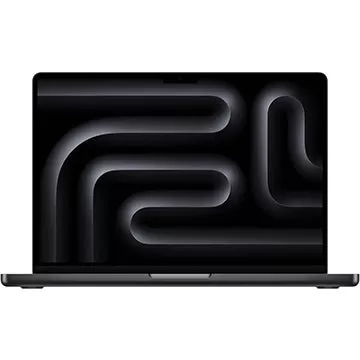
Adorama Is Clearing Out This Apple MacBook Pro M3 Pro Laptop by Offering a $700 Off Discount
Sep 20,2026

Dakota Johnson Insists Madame Web Disaster 'Wasn’t My Fault,' Points to Decisions 'Made by People Who Don't Have a Creative Bone in Their Body'
Sep 20,2026

Crunchyroll Brings White Day: A Labyrinth Named School to Global Players
Sep 16,2026

Best Buy Just Dropped the Best Meta Quest 3S VR Headset Deals for Black Friday
Sep 15,2026
 Category

 Download











Discover the best professional photography software! This comprehensive review features top-rated apps like ReLens Camera, PhotoKit AI Photo Editor, Pixlr, YouCam Perfect - Photo Editor, GCamera: GCam & HD Pro Photos, Photo Studio PRO, Lightleap by Lightricks, Google Camera, PhotoShot, and Photoroom. Compare features, user reviews, and pricing to find the perfect app for your photography needs, whether you're a beginner or a pro. Enhance your images with AI-powered tools, advanced editing capabilities, and stunning filters. Elevate your photography game today!
Photoroom AI Photo Editor
Photo Studio PRO
ReLens Camera
Pixel Camera
Pixlr – Photo Editor
YouCam Perfect - Photo Editor
PhotoKit AI Photo Editor