by Alexander Apr 22,2025
You can now dive into the action-packed world of Fortnite Mobile on your Mac, thanks to our comprehensive guide on playing with BlueStacks Air. Fortnite is renowned for its vast array of skins, allowing players to customize their characters with distinctive outfits. From original creations to exciting collaborations with Marvel, DC, Star Wars, Anime, and Gaming Legends, Fortnite offers an extensive selection that caters to all tastes. While skins don't offer gameplay advantages, they are crucial to the game’s identity, enabling players to showcase their unique style and make a statement on the battlefield.
This guide will take you on a journey through everything you need to know about Fortnite skins, detailing their types, rarities, and how to acquire them. Whether you're interested in purchasing skins from the Item Shop, unlocking exclusive Battle Pass rewards, or earning free event skins, this guide is your ultimate resource.
Default skins are the initial free outfits provided to all players when they first start playing Fortnite. Epic Games refreshes these designs with each new Chapter, introducing new character models and variations. Although they lack special designs or cosmetics, these skins hold a special nostalgic appeal for many veteran players.
Battle Pass skins are exclusive to each season and can only be obtained during that time. These skins often come with progressive unlocks, allowing players to unlock new styles as they progress through the levels. Many Battle Pass skins also offer additional rewards such as extra styles, back bling, or built-in emotes.
To access Battle Pass skins, players need to purchase the Battle Pass for 950 V-Bucks and then earn XP to unlock each tier. Iconic Battle Pass skins include Drift from Season 5, Midas from Chapter 2, Season 2, and Spider-Gwen from Chapter 3, Season 4.
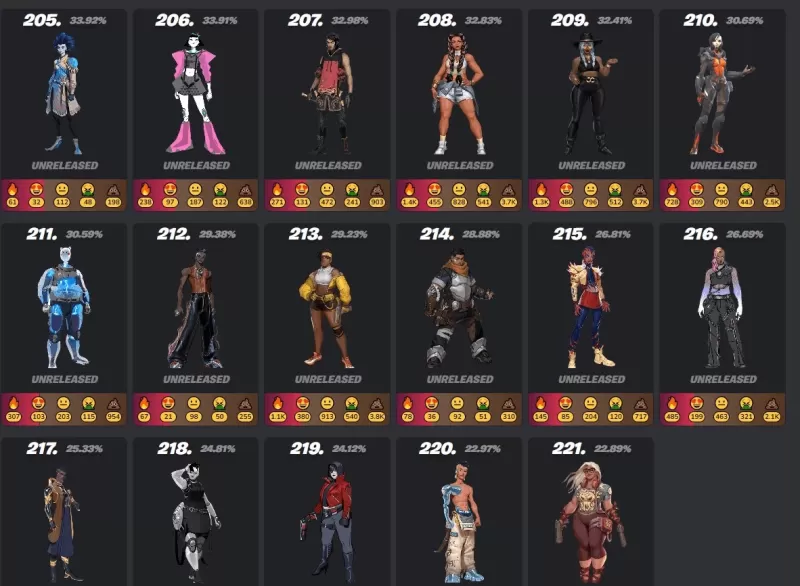
Each Fortnite season brings a new Battle Pass, offering players the chance to unlock exclusive skins by completing challenges and leveling up. These skins are unique to their season and become unavailable once it ends.
Fortnite Crew is a monthly subscription service priced at $11.99, which includes:
Crew skins are never available in the Item Shop, making them highly exclusive.
Fortnite frequently hosts limited-time events and tournaments, offering players the chance to earn free skins by completing challenges or achieving high rankings. Notable examples include:
Some skins are available through special promotions, such as buying gaming hardware or subscribing to services like PlayStation Plus. Examples include:
Fortnite's skins are a vital component of the game's identity, offering players countless ways to customize their characters. Whether you choose to buy skins from the Item Shop, unlock them via the Battle Pass, or earn them through exclusive events, there are numerous avenues to expand your collection. Enjoy the thrill of Fortnite Mobile on your Mac with BlueStacks Air!
Girls Frontline 2: Exilium Global Website Goes Live, Along With Its Socials!
Marvel Rivals: Understanding Bussing and Catching It
New Game Plus in Assassin's Creed Shadows: Confirmed?
Top Skills to Prioritize for Yasuke in Assassin’s Creed Shadows
Assassin’s Creed Shadows Movements Reviewed by Two Parkour Athletes
Death Stranding 2 Release Date Unveiled in Massive Trailer
Pokemon GO Leak Teases New Adventure Effects
Amazon Music Unlimited: Free 3-Month Trial Available
GOG unveils one-click mods, Skyblivion arrives this year
Mar 30,2026

The Darkside Detective Is This Week’s Free Mobile Game on the Epic Games Store
Mar 29,2026

Randy Pitchford Defends Borderlands 4 Comment in Statement
Mar 28,2026
Pokémon Players Now Think Another Card 'Looks Very Similar' to Fan Art, but Others Aren't Convinced This Is a Ho-Oh Plagiarism Situation
Mar 26,2026

Clown Alley Creator Launches, Craft Your Character
Mar 26,2026
 Category