Home >  News >  January 2025 AFK Journey Codes Revealed

January 2025 AFK Journey Codes Revealed

by Connor Apr 10,2025

Quick Links

In this comprehensive guide, we'll explore all the redeemable codes for AFK Journey, an engaging adventure RPG. These codes grant you access to valuable resources like diamonds and gold, which you can use to enhance your gameplay experience. Remember, these codes have an expiration date, so it's crucial to redeem them as soon as possible to enjoy the benefits.

Updated January 8, 2025, by Artur Novichenko: Looking for more rewards? You're in the right place. Redeem these codes now and enjoy the perks they bring.

All AFK Journey Codes

Working AFK Journey Codes

  • SNOWLORSAN - Redeem this code to get diamonds and gold. (NEW)
  • ChainsofEternity - Redeem this code to get diamonds and gold. (NEW)
  • AFKJWhiteridge - Redeem this code to get diamonds and gold. (NEW)
  • AFKJICESEASON - Redeem this code to get diamonds and gold. (NEW)
  • C7U11GL2FX - Redeem this code to get diamonds and gold. (NEW)
  • YCVVXJDA7G - Redeem this code to get diamonds and gold.
  • AFKJ10 - Redeem this code to get diamonds and gold.
  • AFKJCOMMUNITY - Redeem this code to get diamonds and gold.
  • PLAYAFKJOURNEY - Redeem this code to get diamonds and gold.
  • AFKJRPG888 - Redeem this code to get diamonds and gold.
  • AFKJPC - Redeem this code to get diamonds and gold.
  • AFKJ8888 - Redeem this code to get diamonds and gold.
  • AFKJ9999 - Redeem this code to get diamonds and gold.

Expired Codes

  • 3TL2U4S5M4
  • CCPROGRAM
  • PLUTOMALLEXTRA5%
  • oN2yO0lJ6e
  • AFKJ1.2.2UPDATE
  • JOURNEYWITHTASI
  • AFKJGIFT
  • GIFT4YOUAFKJ
  • AFKJWINDAH
  • MAGICAFKJOURNEY
  • AFKJGIFT2024
  • AFKJomedetou
  • AFKJCREATOR
  • AFKJOSHIKATSU
  • MARKIJOURNEY
  • AFKJN2024
  • hwidnabwbd
  • LILITH11AFKJ
  • AFKJLILYPICHU
  • AFKJRUBBERROSS
  • AFKJLUDWIG
  • AFKJNEWSEASON
  • AFKJVOLKIN
  • AFKJBARRY
  • AFKJMTASHED
  • AFKJZEEEBO
  • AFKJCREATIONFEST
  • AFKJUPDATE
  • AFKJCCPROGRAM
  • AFKJAPRIL20
  • AFKJourneyAlpharad
  • AFKJourneyPRESTON
  • AFKJourneyHI
  • AFKJourneySpecialEDD
  • AFKJourneyRUG
  • AFKJourneyPG0
  • AFKJourneyLGIO
  • AFKJourneyJianhao
  • afkjourneyjoshdub
  • AFKJourneyVIVA
  • AFKJourneyTGT
  • AFKJourneyVG
  • AFKJourneyNOGLA
  • AFKJourneyCMK
  • AFKJourneyCarbot
  • AFKJourneyMSA
  • AFKJourneyDE
  • AFKJourneySqueezie
  • AFKJourney88
  • AFKJourneyZanny
  • AFKJourneyTT
  • AFKJourneyCreator
  • AFKJourneyZekiaPax
  • AFKJourneyDishPax
  • AFKJourneyLilyPax
  • AFKJourneyArt
  • AFKJourneyPAX
  • WELCOME
  • LAUNCH
  • BETATESTING

Whether you're a novice or a seasoned player, securing free gold and diamonds can significantly boost your progress. These resources can be used to upgrade your characters, unlock new ones, or purchase essential items and equipment to enhance your combat effectiveness. The developers frequently release new AFK Journey codes, providing you with ample opportunities to advance more quickly.
How to Redeem Codes for AFK Journey

Redeeming codes in AFK Journey is straightforward and can be done directly within the game, unlike many other RPGs that require a browser. Before you can start redeeming, you'll need to complete the tutorial, which typically takes 5-10 minutes, depending on whether you skip the dialogue. Once you've completed the tutorial, follow these detailed steps to redeem your codes:

  • Launch the game and look at the lower-right corner. You'll see a button with three lines on the icon; click on it.
  • This action will open a new menu with various options and buttons.
  • In the lower-right corner of this menu, you'll find a button with a gear icon. Click on it to access the settings menu.
  • Within the settings menu, you'll see multiple options and tabs at the top. Navigate to the last tab labeled "Other."
  • Upon opening this tab, you'll encounter several buttons divided into three sections.
  • In the second section, labeled "Others," locate the "Promo Code" button, which is the last one in the first row. Click on it.
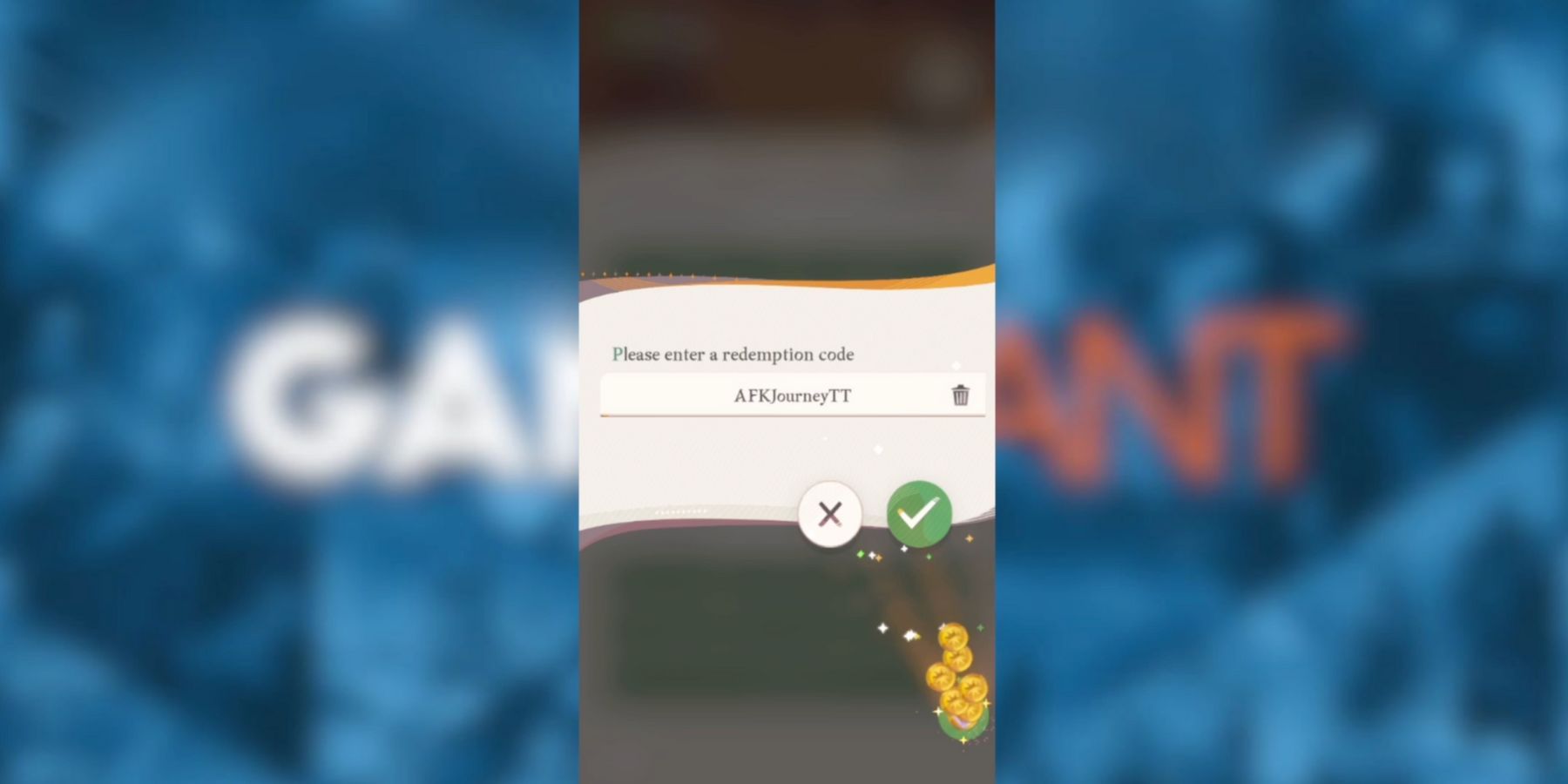
  • This will open the redemption menu, featuring an input field and two buttons: one with a cross and the other with a check mark. Enter or copy and paste one of the active codes into the input field.
  • After entering the code, click the green checkmark button to submit your reward request.
  • If everything is entered correctly, a notification will appear on your screen, detailing the rewards you've received.

Make sure to redeem all the codes promptly, as they can expire, and you'll miss out on the rewards permanently.