by Hannah May 05,2025
The Steam Deck, a popular handheld gaming PC, comes equipped with all the controls you'll need to dive into your favorite PC games right on the sides of its screen. While these built-in controls are convenient and of high quality, they may not be the most ergonomic for extended gaming sessions. Additionally, if you're aiming to enhance your gaming setup by connecting your Steam Deck to a larger screen like a TV or monitor using a Steam Deck dock, these controls won't suffice. The solution? Pair your Steam Deck with a top-notch controller like Sony's DualSense, which bridges the gap between handheld and console gaming experiences.
 Our Top Pick### Sony DualSense
2See it at AmazonSee it at Best BuySee it at Target ### Xbox Elite Series 2 Controller
6See it at AmazonSee it at Best Buy ### 8BitDo Ultimate Controller
2See it at Amazon ### GuliKit KingKong 3 Max Controller
2See it at Amazon ### PowerA Wireless GameCube Style Controller
2See it at Amazon
The ideal controllers for the Steam Deck offer comfort, reliable inputs, and seamless connectivity to the handheld device via Bluetooth or a wired USB-C connection. Some of these gamepads come with additional controls or features that can enhance your gaming experience, though certain settings might not be fully compatible with the Steam Deck. These versatile PC controllers are also compatible with consoles such as the PS5 and Xbox Series X/S, as well as the best Steam Deck alternatives, allowing you to enjoy their benefits across various platforms.
A controller is one of the best Steam Deck accessories you can invest in. However, choosing the perfect one from the vast array of options can be overwhelming. Our experts have curated a list of five top controllers, ranging from basic, responsive devices to those with unique designs and advanced features.
AnswerSee Results### Sony DualSense Controller Review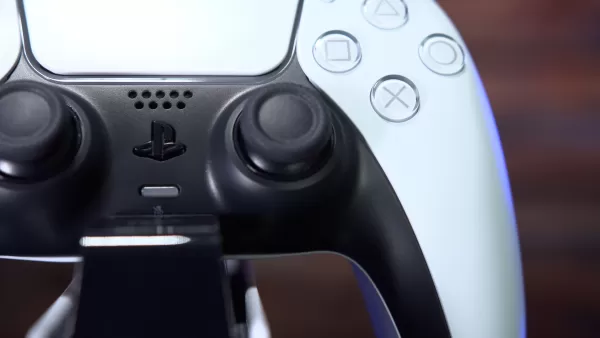
 View 8 Images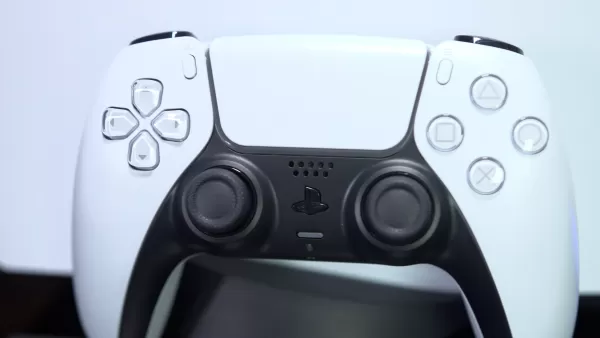
 1. PS5 DualSense Wireless Controller
Our Top Pick### Sony DualSense
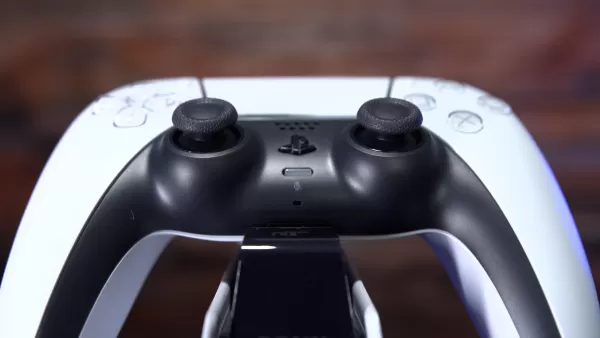
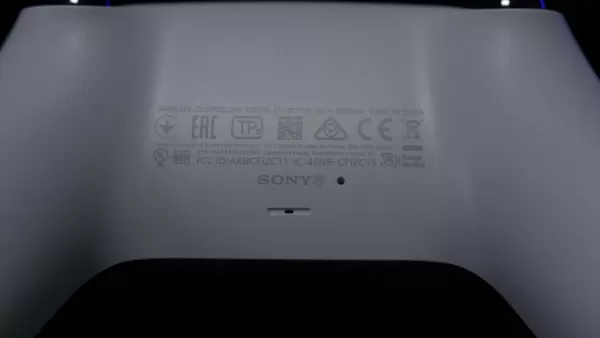
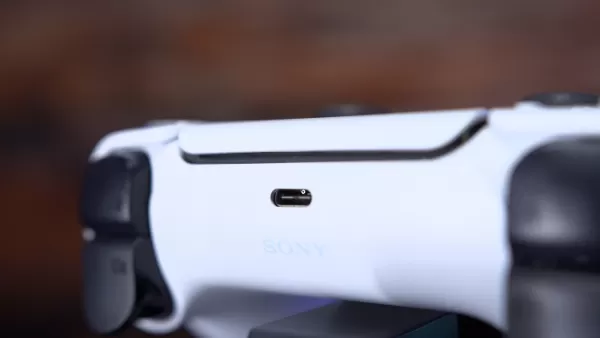
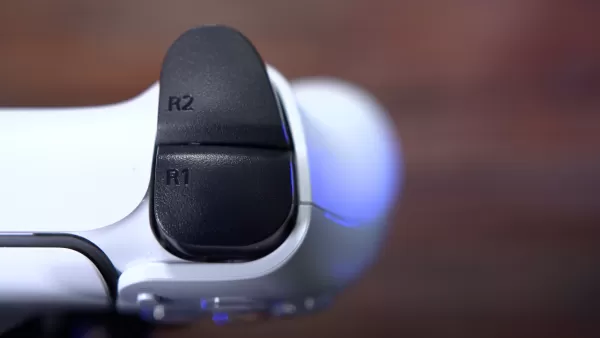
2The DualSense controller isn't just for your PS5; it works seamlessly with the Steam Deck too, offering an excellent gaming experience. See it at AmazonSee it at Best BuySee it at TargetProduct SpecificationsCustomizable buttonsNoMicrophoneYesAudio3.5mm jack, built-in speakerConnectivityBluetooth, USB-CBatteryUp to 8 hoursPROSBuilt-in microphoneImpressive build qualityCONSPoor battery lifeSony is renowned for crafting feature-rich and comfortable controllers. The PS5 DualSense Wireless Controller excels in this regard, providing a comfortable grip even during prolonged gaming sessions and immersive gameplay through its haptic feedback.
The controller also features a 3.5mm jack for easy connection of wired headphones and a built-in microphone, making it convenient to chat with friends while playing.
If you own a PS5, the PS5 DualSense Wireless Controller stands out as one of the best PS5 controllers, allowing you to use it for both your Steam Deck and PlayStation, thus saving space and money.
 View 10 Images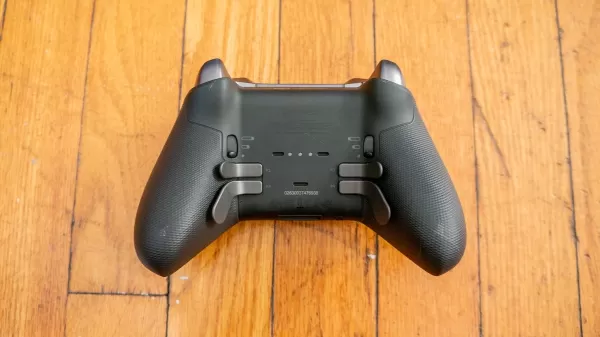
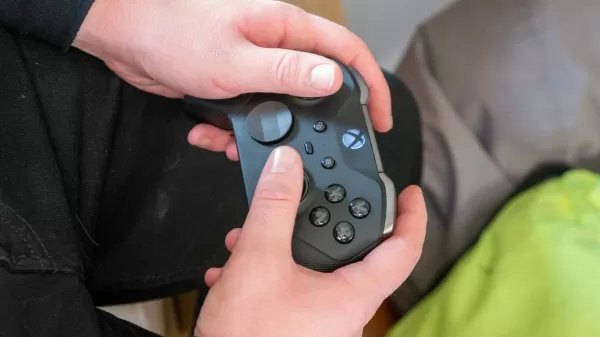 2. Xbox Elite Series 2 Controller
### Xbox Elite Series 2 Controller
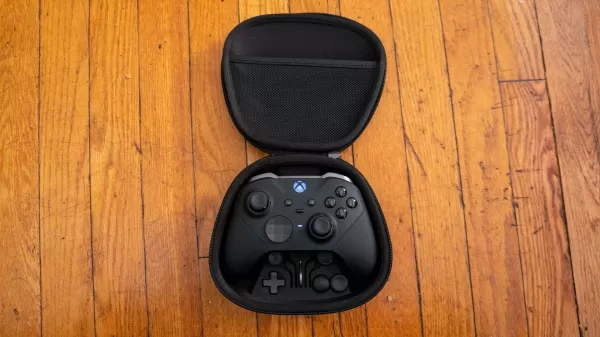
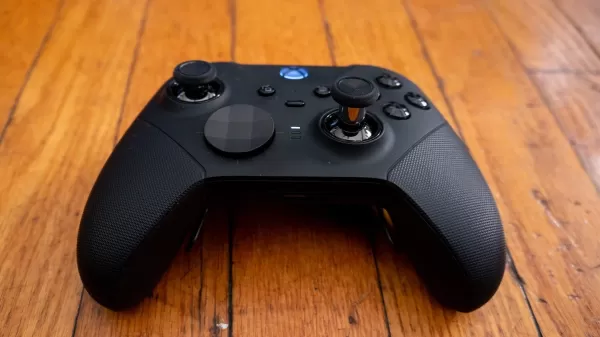
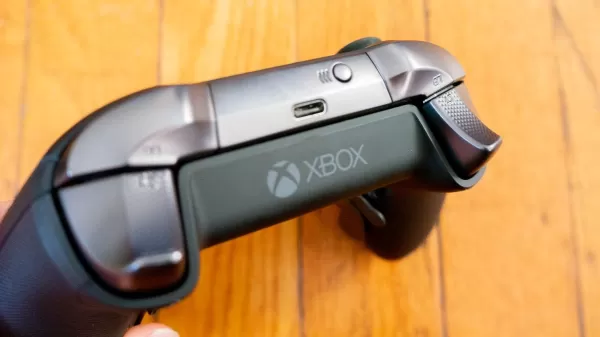
6The Xbox Elite Series 2 Controller, a premium gamepad, pairs exceptionally well with the Steam Deck, offering a luxurious gaming experience. See it at AmazonSee it at Best BuyProduct SpecificationsCustomizable buttonsYesMicrophoneNoAudio3.5mm jackConnectivity Bluetooth, USB-CBatteryUp to 40 hoursPROSWealth of customizationsComfortableCONSSome buttons feel mushyWhile the Xbox Elite Series 2 may be pricier than other Steam Deck compatible controllers, it boasts an array of features that position it as one of the top wireless controllers available today.
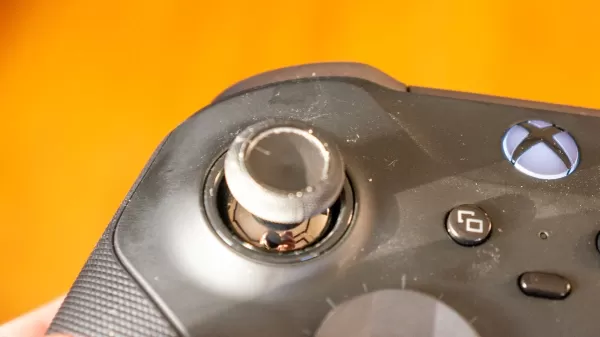
The key advantage of the Xbox Elite Series 2 is its customizable components, allowing you to adjust thumbsticks and directional buttons to your preferred height. It also includes adjustable trigger locks and four customizable paddles.
The rubber grip on the Xbox Elite Series 2 not only makes it one of the most feature-rich Xbox controllers but also one of the most comfortable controllers we've ever used.
 View 6 Images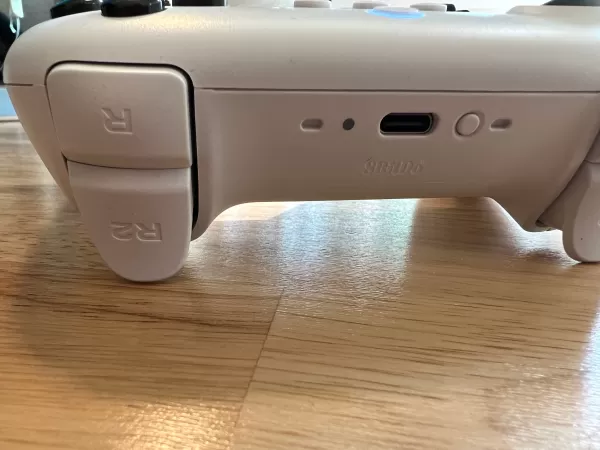
 3. 8BitDo Ultimate Controller
### 8BitDo Ultimate Controller
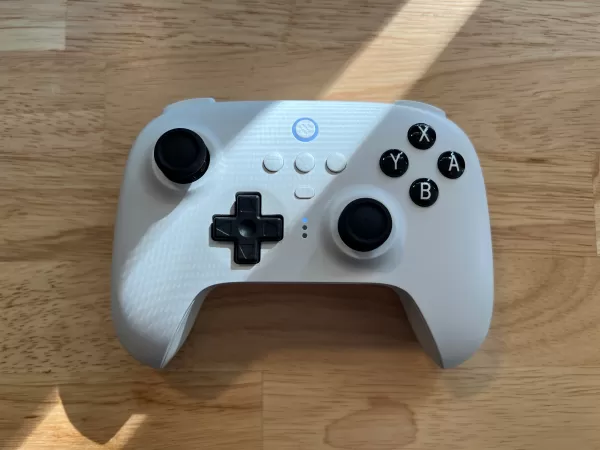
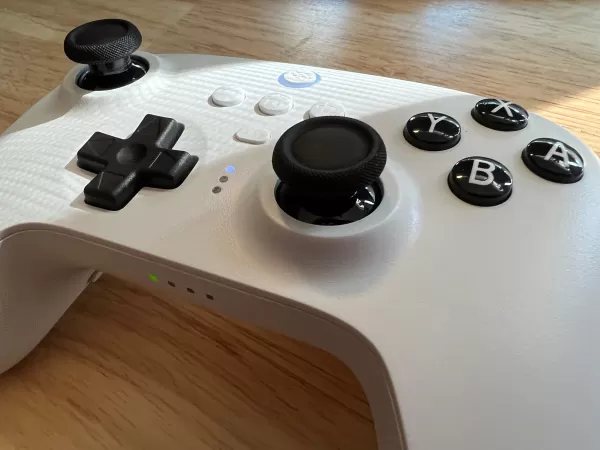
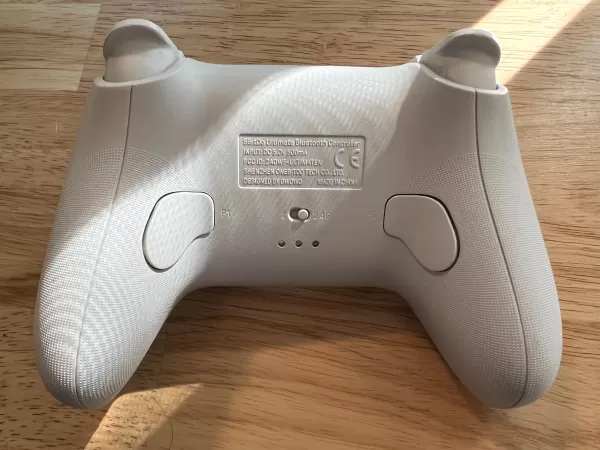
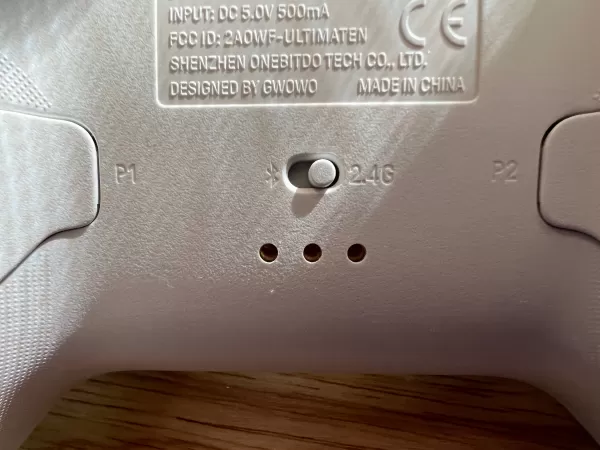
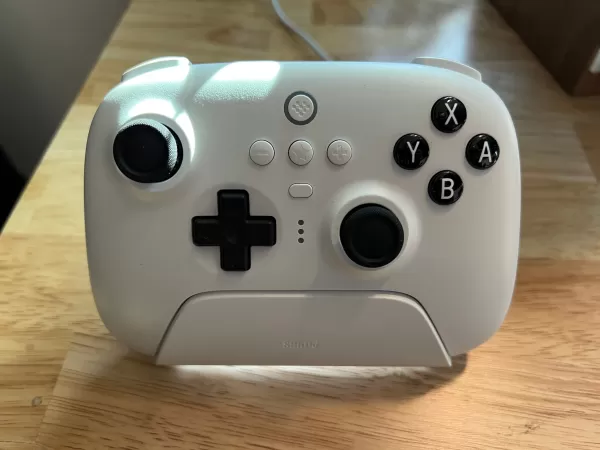
28BitDo is renowned for its exceptional controllers, and the Ultimate model is its finest offering. See it at AmazonProduct SpecificationsCustomizable buttonsYesMicrophoneNoAudioNoConnectivityBluetooth, USB-C, 2.4GhzBatteryUp to 22 hoursPROSThree ways to connectLightweightCONSNot for bigger hands8BitDo is celebrated for creating affordable controllers that deliver performance and build quality typically found in more expensive models.
The 8BitDo Ultimate Controller with Charging Dock is compact and lightweight, ideal for those seeking comfort and portability. However, its smaller size may pose challenges for gamers with larger hands.
With three connectivity options, the 8BitDo Ultimate Controller offers versatile connection methods to your Steam Deck or other compatible devices via Bluetooth, 2.4Ghz wireless, and USB-C, making it one of the best Steam Deck controllers for compatibility.
The included charging dock simplifies charging your device, eliminating the need for disposable batteries.
### GuliKit KingKong 3 Max Controller
2Featuring hall effect sensors, swappable buttons, and HD rumble, the KingKong 3 Max is designed to provide an immersive and responsive gaming experience. See it at AmazonProduct SpecificationsCustomizable buttonsYesMicrophoneNoAudioN/AConnectivityWired USB-C, Bluetooth 5.3, Wireless dongle (PC)BatteryUp to 28 hours (RGB lights off)PROSHall Effect joysticks and triggersGreat connectivityCONSButtons could be more tactileThe KingKong 3 Max resembles the Xbox Wireless controller, which is a positive attribute. Its familiar design is both comfortable and ergonomic, and the textured surface and lightweight construction keep it secure during intense gaming sessions. The subtle RGB lighting around the joysticks indicates their sensitivity.
The anti-drift, anti-friction joysticks and triggers equipped with Hall Effect sensors offer enhanced precision and adjustability, ideal for competitive shooters. Four remappable and detachable rear paddles enhance functionality, and the large D-pad facilitates easy inputs. However, the swappable face buttons might feel a bit mushy. This controller also offers additional features for the Nintendo Switch, making it our favorite Switch controller.
The KingKong 3 Max connects effortlessly to the Steam Deck via Bluetooth 5.3, with the option for a low-latency wired USB-C connection. For PC gamers, a USB dongle provides a reliable wireless connection. With an impressive battery life, you can expect about 28 hours of playtime with RGB lighting off, dropping to 15 hours when the lights are on.
### PowerA Wireless GameCube Style Controller
2The PowerA Wireless GameCube Style Controller is perfect for those who crave a nostalgic GameCube experience on their Steam Deck. See it at AmazonProduct SpecificationsCustomizable buttonsNoMicrophoneNoAudioN/AConnectivityBluetoothBatteryUp to 30 hoursPROSNostalgic retro designComfortableCONSRequires AA batteriesWhile the PowerA Wireless GameCube Style Controller may not boast the most advanced features, it compensates with its nostalgic appeal and ergonomic design, making it an excellent choice for retro gaming enthusiasts.
Gamers familiar with the GameCube will appreciate the design, which is both comfortable and suitable for many players. It serves as a great alternative to the Nintendo Switch controller.
Using Bluetooth 5.0, connecting this controller to your Steam Deck is straightforward and hassle-free. It operates on two AA batteries, providing approximately 30 hours of uninterrupted gameplay.
Choosing the best Steam Deck controller involves considering the features it offers and how well they align with your gaming style. The Steam Deck supports both Bluetooth and wired (USB-C) controllers, giving you a wide range of options.
Keep in mind that not all controller features will function on the Steam Deck, so it's crucial to prioritize comfort when selecting your controller.
If you own other consoles like the PS5, Xbox Series X, or Nintendo Switch, you'll find that many controllers are cross-compatible, allowing you to save money by using a single controller across multiple platforms.
For those who prefer gaming from a distance, a wireless Steam Deck controller is the best choice. However, if you play up close or connect your Steam Deck to a monitor, a wired controller may be more affordable and offer more options.
Yes, the Steam Deck's built-in Bluetooth functionality makes it compatible with the PS5 DualSense controller. Connecting the controller is straightforward, making it a cost-effective option if you already own a PS5.
Absolutely, most Bluetooth controllers work seamlessly with the Steam Deck. You don't need an official controller from any console to enjoy your gaming experience.
Yes, the Xbox Elite 2 controller is compatible with the Steam Deck. However, some users have reported that certain features, such as the paddles, may not function consistently.
Girls Frontline 2: Exilium Global Website Goes Live, Along With Its Socials!
Marvel Rivals: Understanding Bussing and Catching It
New Game Plus in Assassin's Creed Shadows: Confirmed?
Top Skills to Prioritize for Yasuke in Assassin’s Creed Shadows
Assassin’s Creed Shadows Movements Reviewed by Two Parkour Athletes
Death Stranding 2 Release Date Unveiled in Massive Trailer
Pokemon GO Leak Teases New Adventure Effects
Amazon Music Unlimited: Free 3-Month Trial Available

Randy Pitchford Defends Borderlands 4 Comment in Statement
Mar 28,2026
Pokémon Players Now Think Another Card 'Looks Very Similar' to Fan Art, but Others Aren't Convinced This Is a Ho-Oh Plagiarism Situation
Mar 26,2026

Clown Alley Creator Launches, Craft Your Character
Mar 26,2026
Nintendo Today App Debuts as Fan Content Hub
Mar 24,2026
Death Stranding 2: On the Beach Reveals New Trailer
Mar 17,2026
 Category