by Finn Mar 26,2025
For anyone diving into the endgame of Path of Exile 2, setting up a suitable loot filter is essential. Loot filters not only clear up on-screen clutter, making your mapping sessions more enjoyable, but they also enhance your gameplay by highlighting only the items that truly matter, saving you from the mental strain of sorting through irrelevant drops.
FilterBlade, renowned for its effectiveness in Path of Exile 1, has now been updated to support PoE 2. Here's a step-by-step guide on how to utilize it effectively.
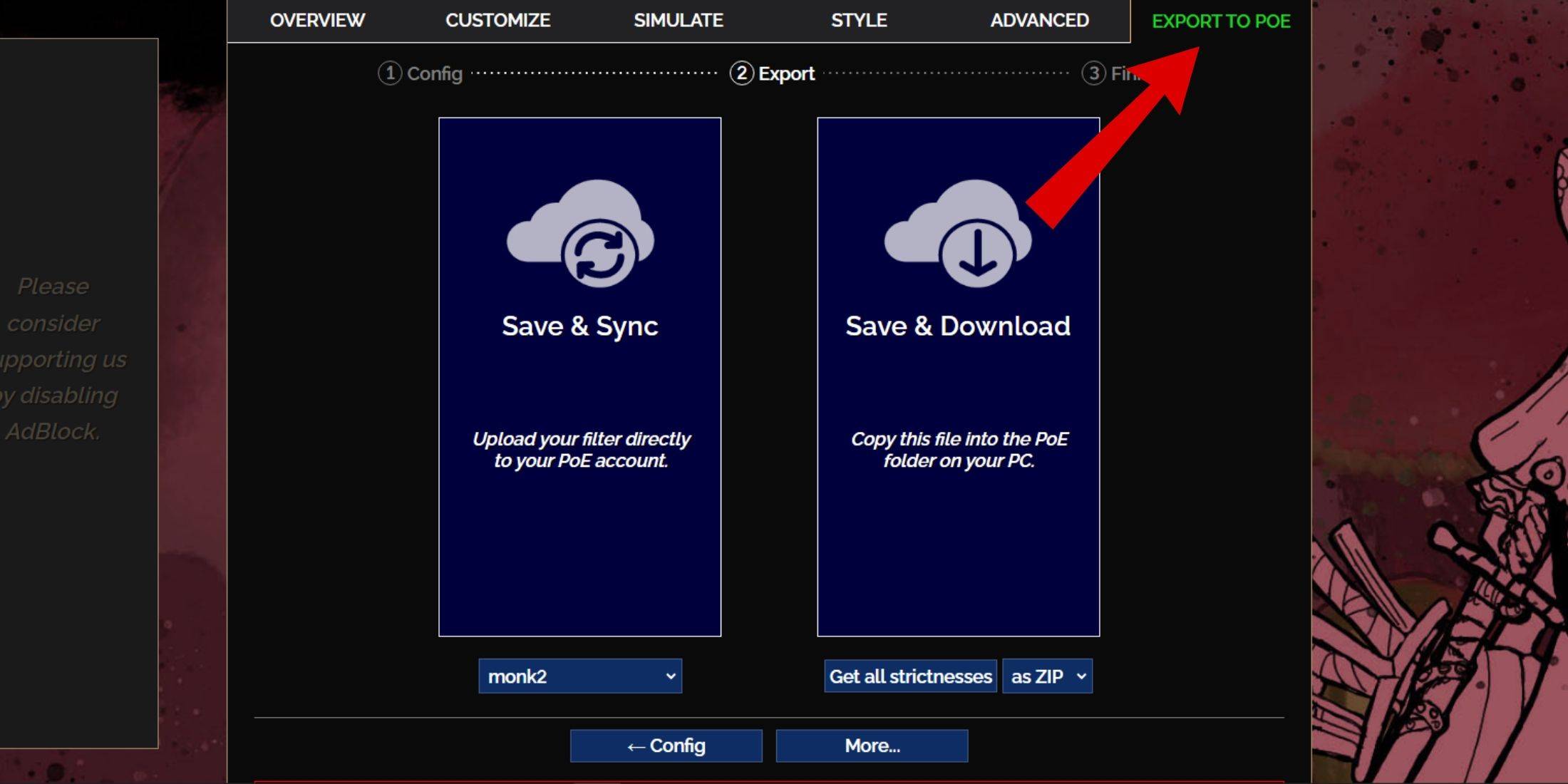
And just like that, your FilterBlade loot filter is now active in your game.
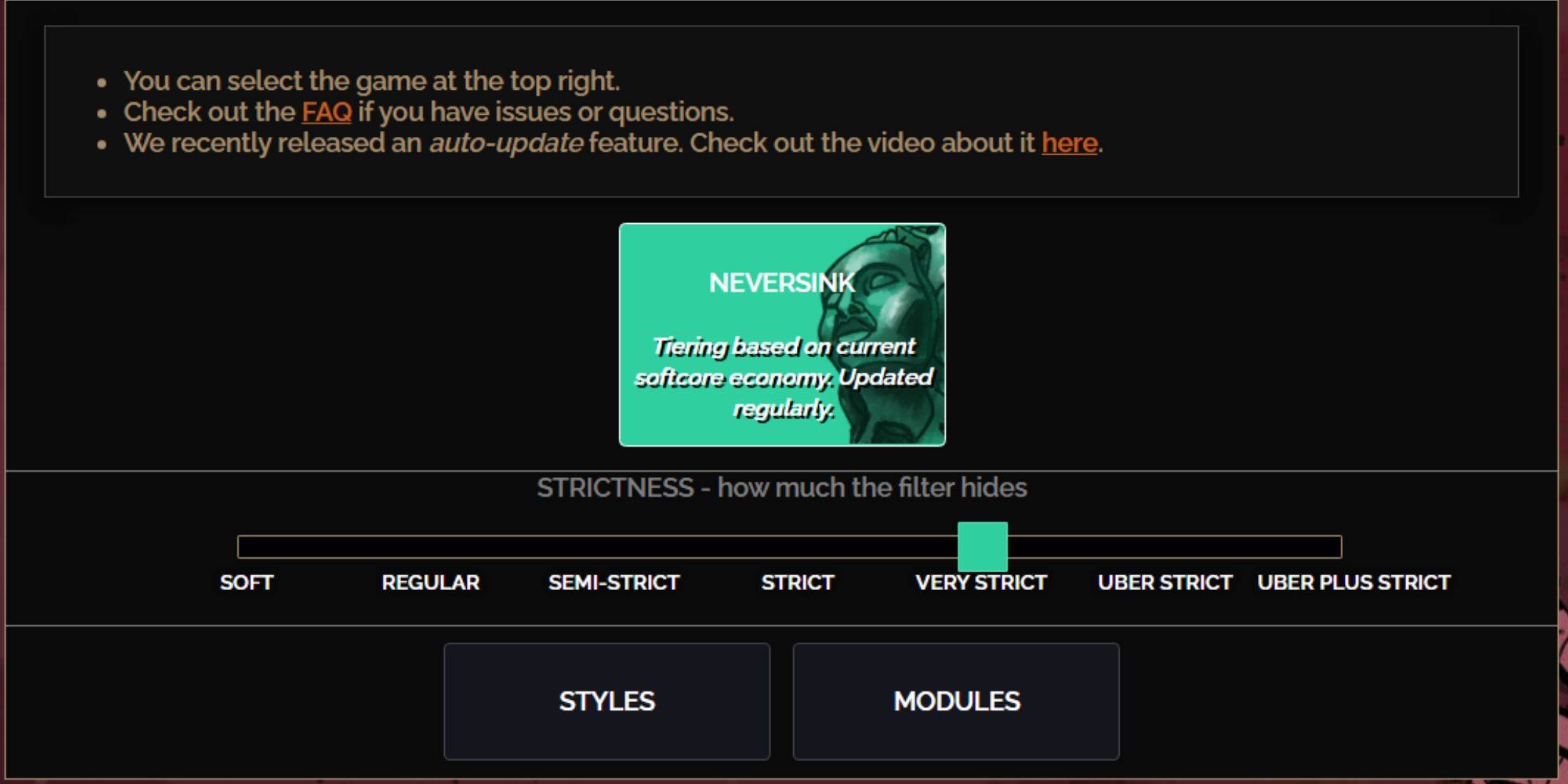
The NeverSink FilterBlade preset offers seven levels of strictness, each tailored to different stages of your gameplay. Choosing the right level is crucial as it determines what items you'll see in-game. While you can always make exceptions, starting with the appropriate strictness level can prevent future issues.
| Strictness | Effect | Best For |
|---|---|---|
| Soft | Highlights valuable materials and items without hiding anything. | Act 1-2 |
| Regular | Hides only items with no crafting potential or sale value. | Act 3 |
| Semi-Strict | Hides items with low potential or limited value. | Act 4-6 |
| Strict | Hides most items without high turnover. | Early Mapping phase (Waystone Tier 1-6) |
| Very Strict | Hides low-value rare items and crafting bases, including Waystone Tier 1-6. | Mid to late mapping phase (Waystone Tier 7+) |
| Uber Strict | Hides almost all non-tiered rare items and crafting bases, focusing on complete currency like Regal/Alchemy/Exalted/Chaos Orbs, no shards. Also hides Waystones Tier 1-13. | Late mapping phase (Waystone Tier 14+) |
| Uber Plus Strict | Hides nearly everything except valuable currencies and high return rares and uniques, including Waystones Tiers 1-14. | Ultra endgame mapping phase (Waystone Tier 15-18) |
For players embarking on a second or third campaign run, starting with the Semi-Strict level is advisable. The Soft and Regular levels are ideal for new league starts where every item is crucial for character progression, similar to a Solo Self-Found (SSF) run.
Items hidden by the loot filter can be quickly viewed by pressing the highlight key (ALT on PC). FilterBlade enhances this feature by adjusting the size of item names based on the strictness level, making them nearly invisible on the map when highlighted, which is particularly useful for players who use this key to pick up items in PoE 2.
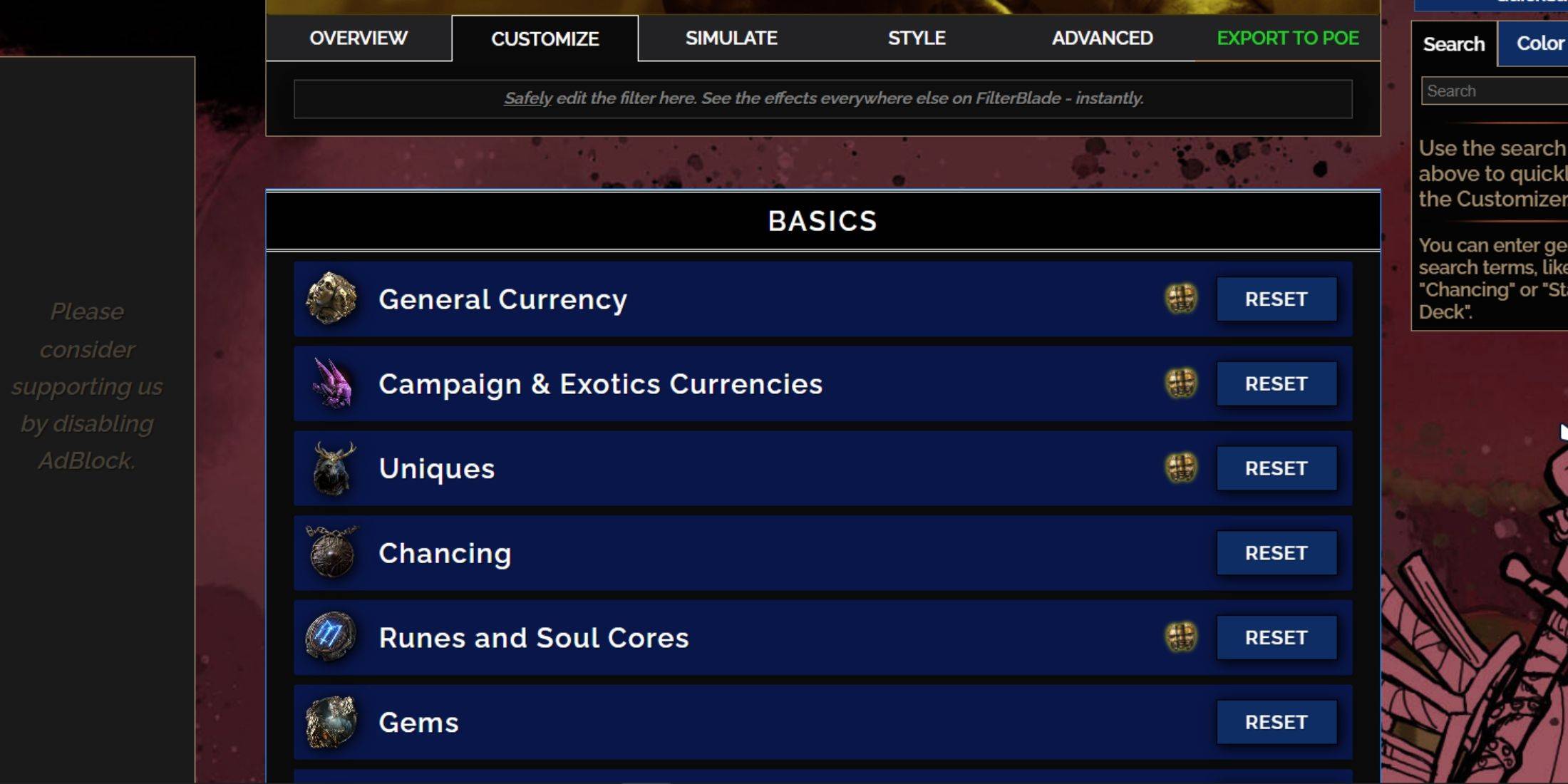
FilterBlade stands out due to its user-friendly customization options, allowing you to modify preset loot filters without delving into complex code.
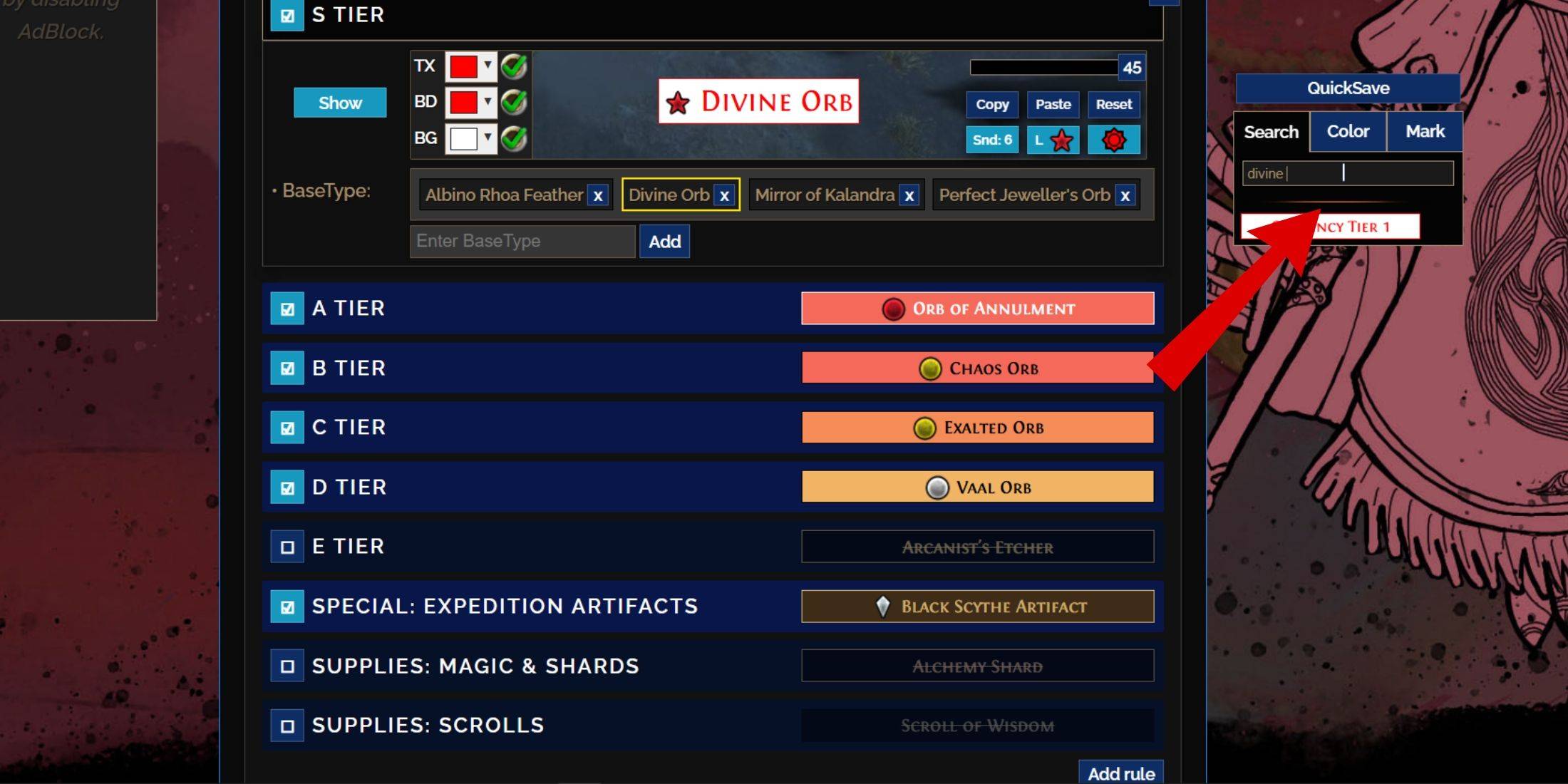
For detailed customization, navigate to the 'Customize' tab next to Overview. Here, you'll find every possible drop in PoE 2 categorized into sections and subsections, offering extensive customization options.
For instance, if you want to alter the appearance of a  Divine Orb when it drops, simply enter 'Divine Orb' into the search bar on the right. This will open the S Tier General Currency tab, displaying all possible modifications for the Divine Orb, with visual representations of the changes.
To preview the sound of an item dropping in-game, click on the in-game showcase icon.
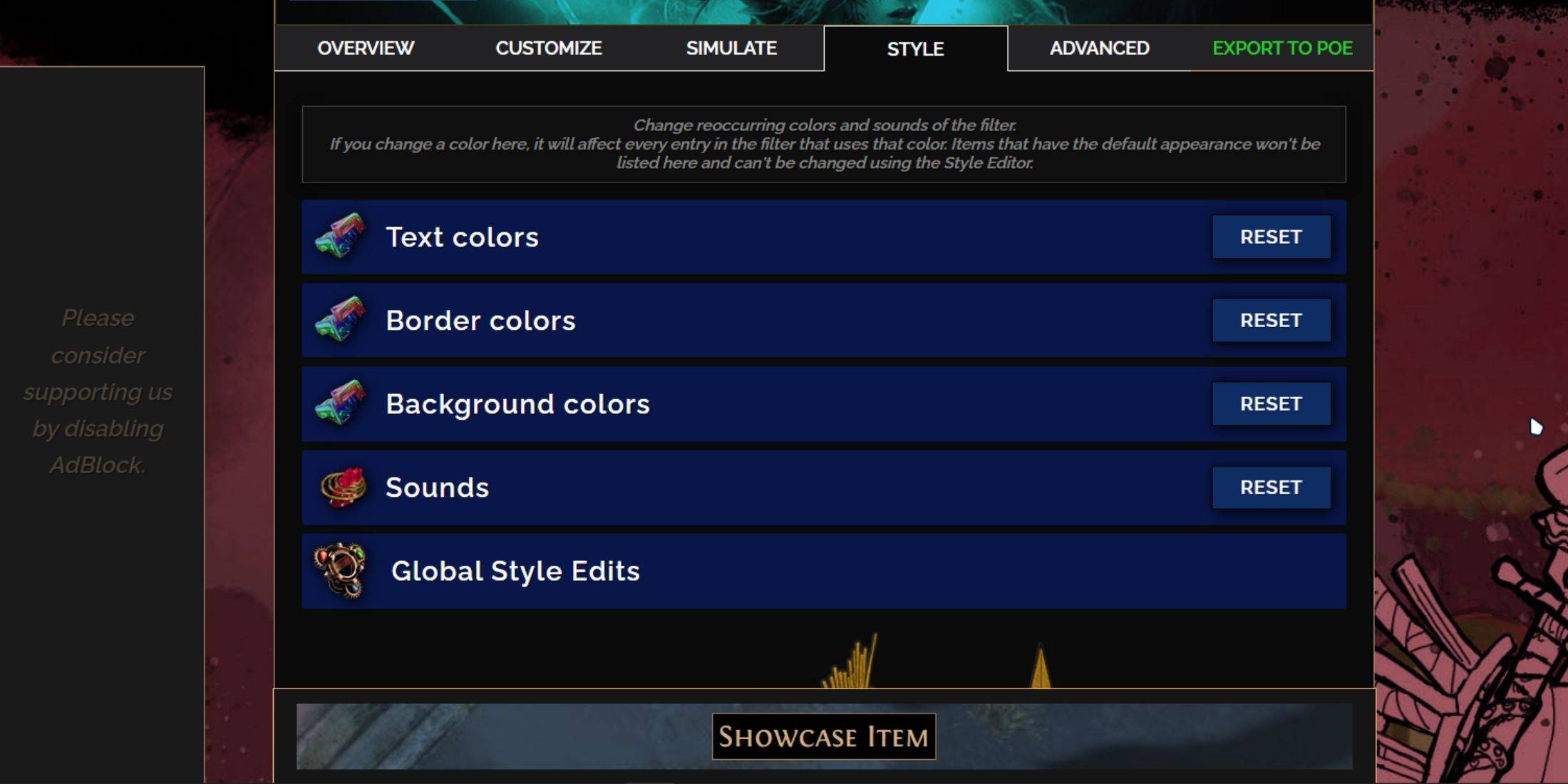
You can adjust the colors and sounds of individual or small groups of items in the 'Customize' tab. For broader, filter-wide changes, use the 'Styles' tab. Here, you can modify the Text, Border, and Background of dropped items, as well as the audio cues for valuable drops.
Color changes are straightforward, with visual previews of how items will appear in-game. For individual item adjustments, return to the 'Customize' tab.
Sound effects can be altered using the dropdown menu. You can upload custom sounds in .mp3 format by selecting 'Custom' or choose from community-added sounds under 'Game & Community Sounds'. With hundreds of options available, feel free to experiment; you can always revert changes by selecting 'Reset'.
For those new to loot filter customization, exploring public Modules can be a great way to start. These community-made presets offer various visual and auditory modifications to enhance your gameplay experience.
Girls Frontline 2: Exilium Global Website Goes Live, Along With Its Socials!
Marvel Rivals: Understanding Bussing and Catching It
New Game Plus in Assassin's Creed Shadows: Confirmed?
Top Skills to Prioritize for Yasuke in Assassin’s Creed Shadows
Assassin’s Creed Shadows Movements Reviewed by Two Parkour Athletes
Death Stranding 2 Release Date Unveiled in Massive Trailer
Pokemon GO Leak Teases New Adventure Effects
Amazon Music Unlimited: Free 3-Month Trial Available
Ahsoka Revealed at Star Wars Celebration
Apr 09,2026
Netflix and PBS to Stream New Sesame Street Episodes After HBO Max Deal Ends
Apr 07,2026

Eternity's Bastion Season 2 Debuts Post-EVA 2025 Triumph
Apr 02,2026

Alien RPG: Idle Space Farm Guide
Apr 02,2026
GOG unveils one-click mods, Skyblivion arrives this year
Mar 30,2026
 Category