
by Dylan May 05,2025
In the world of PC gaming, discussions often revolve around 1440p and 4K monitors, yet according to Steam's Hardware Survey, the majority of gamers still favor 1080p. This preference is driven by factors like affordability and ease of performance. When you're in the market for a new monitor, you'll find a vast array of options, which can make choosing the best one a daunting task.
Fear not, as I'm here to guide you through the best 1080p gaming monitors of 2025. With years of experience in reviewing gaming monitors, I've pinpointed the models that stand out from the rest, starting with my top pick, the Asus TUF Gaming VG279QM. If you're looking to spend less time shopping and more time enjoying your games, these are the monitors you should consider.
 Our Top Pick### Asus TUF Gaming VG279QM
2See it at Amazon ### Samsung Odyssey G30D
1See it at AmazonSee it at Best Buy  ### AOC Gaming C27F2Z
2See it at Amazon ### Acer Nitro ED6 (ED306C Xbmiippx)
2See it at Amazon ### BenQ Zowie XL2586X+
0See it at Amazon
Opting for a 1080p gaming monitor offers numerous advantages. These monitors are generally more affordable than their 1440p and 4K counterparts, can achieve high refresh rates up to 500Hz, and often support technologies like AMD FreeSync and Nvidia G-Sync. One of their key benefits is that they are easier to run, requiring less powerful and expensive graphics cards due to their lower pixel count. Even with an entry-level GPU, you can enjoy a fantastic gaming experience.
However, 1080p monitors can appear less sharp, especially on screens larger than 27 inches. If you're interested in higher resolutions, be sure to explore our list of the best gaming monitors of 2025.
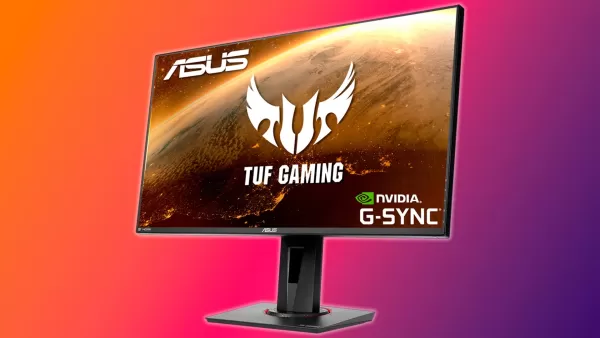 1. Asus TUF Gaming VG279QM
Our Top Pick### Asus TUF Gaming VG279QM
2A 27-inch Full HD display with an overclockable 240Hz refresh rate, low input lag, and adaptive sync for smooth action. See it at AmazonProduct SpecificationsScreen size27"Aspect ratio16:9Resolution1,920 x 1,080Panel typeIPS FreeSync, G-Sync compatibleBrightness400cd/m2 Refresh rate240Hz, 280Hz (OC) Response time1 ms (GTG) Inputs2 x HDMI 2.0, 1 x DisplayPort 1.2PROSGreat value for moneyFreeSync support and G-Sync compatibilityCONSNo local dimming
The Asus TUF Gaming VG279QM is the top choice for most 1080p gamers. Priced under $300, it offers a fast, vibrant screen capable of reaching a remarkable 280Hz refresh rate. It boasts low input lag, variable refresh rate support, and high peak brightness, ensuring your games look their best with crisp motion clarity when it counts.
Our reviewer was highly impressed with how well this monitor balances its features. It supports variable refresh rates with both AMD FreeSync and Nvidia G-Sync, eliminating screen tearing. Its exceptionally fast 280Hz refresh rate ensures near-instantaneous response times. At 27 inches, it's the perfect size for its resolution, providing a spacious yet sharp image. With a brightness of 400 nits, it's suitable for well-lit rooms, and its DisplayHDR 400 certification enhances its dynamic range and color vibrancy.
In summary, the VG279QM combines excellent price, features, and performance, making it the leading 1080p gaming monitor of 2025.
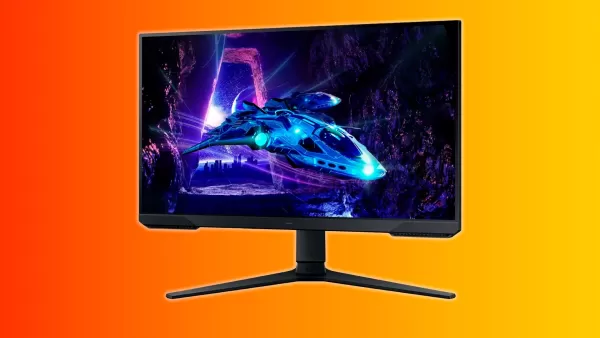 2. Samsung Odyssey G30D
### Samsung Odyssey G30D
1This gaming monitor is small but mighty, offering a solid picture and great gaming performance at a low price. See it at AmazonSee it at Best Buy Product SpecificationsScreen size24"Aspect ratio16:9Resolution1,920 x 1,080Panel typeIPS FreeSync, G-Sync CompatibleBrightness250cd/m2 Refresh rate180HzResponse time1msInputs 1x HDMI, 1x DisplayPortPROSColor rich screen1ms response time High refresh rateCONSMiddling peak brightness
For those on a budget, the Samsung Odyssey G30D stands out as an excellent choice. Priced at around $120, this 24-inch monitor from a trusted brand delivers vibrant colors and a responsive 1ms response time. With a high 180Hz refresh rate and support for both AMD FreeSync and Nvidia G-Sync, it ensures smooth gameplay free of tearing, even at lower frame rates.
While it only offers one HDMI and one DisplayPort, this isn't a significant issue for single-computer setups. The main drawback is its average brightness of 250 nits, which may limit its use in very bright environments. However, in typical room lighting, it performs well. The peace of mind that comes with buying from a well-known brand and its one-year warranty adds to its value.
Overall, the Samsung Odyssey G30D is a feature-rich option at an affordable price, making it an excellent choice for budget-conscious gamers.
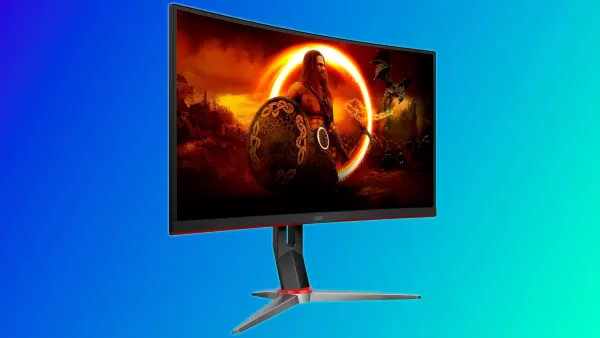 3. AOC Gaming C27G2Z
### AOC Gaming C27F2Z
21080p gamers will love this monitor's balance of an immersive curve, spacious screen, and fast refresh rate. See it at AmazonProduct SpecificationsScreen size27" 1500R Aspect ratio16:9Resolution1,920 x 1,080Panel typeVA FreeSyncBrightness300cd/m2 Refresh rate240HzResponse time0.5msInputs2 x HDMI 2.0, 1 x DisplayPortPROSLow input latencyRapid response timeVibrant colors and good contrastCONSMay require calibration and OSD adjustments to bring it to taste
Priced at around $150, the AOC Gaming C27G2Z offers incredible value with its curved 240Hz gaming monitor. Featuring a 1500R curve, 300cd/m² brightness, and a rapid 0.5ms response time, this monitor delivers stunning visuals and instant responsiveness for a competitive edge.
The 1500R curve strikes the perfect balance, providing immersion without distorting text. The VA panel offers rich colors and a 3000:1 contrast ratio for deep blacks and shadows, enhancing picture quality. With support for both AMD and Nvidia's variable refresh rates, it's well-suited for competitive gaming.
Although it may need some initial calibration for optimal picture quality, the AOC C27G2Z is an outstanding choice for 1080p gaming, offering great responsiveness and an engaging curve at a budget-friendly price.
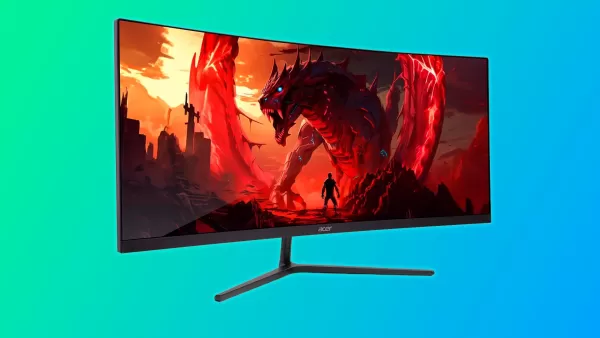 4. Acer Nitro ED6 (ED306C Xbmiippx)
### Acer Nitro ED6 (ED306C Xbmiippx)
2At less than $200, this curved gaming monitor offers a great picture, fast refresh rate, solid color coverage, and an immersive curve. See it at AmazonProduct SpecificationsScreen size29.5"Aspect ratio21:9Resolution2,560x1,080Panel typeVA, AMD FreeSync Premium, Nvidia G-Sync compatibleBrightness350cd/m2Refresh rate200Hz Response time1msInputs2 x HDMI 2.0, 2 x DisplayPort 1.2PROSGood color coverage and deep contrastImmersive 1500R curve2x HDMI and DisplayPort jacksCONSOut of the box color accuracy
The Acer Nitro ED6 stands out as one of the best ultrawide 1080p monitors available, priced under $200. Its 30-inch screen with a 21:9 aspect ratio and VA panel delivers excellent color and contrast, enhanced by a 200Hz refresh rate for smooth gaming.
This monitor's size and resolution strike a perfect balance, avoiding the softness seen in larger screens. Its 3000:1 contrast ratio and versatile design make it suitable for both single-player and competitive gaming. The 1500R curve adds to the immersive experience, while the high refresh rate ensures excellent motion clarity.
Acer's commitment to quality and performance is evident in the Nitro ED6, making it the top choice for 1080p ultrawide enthusiasts, backed by reliable warranty support.
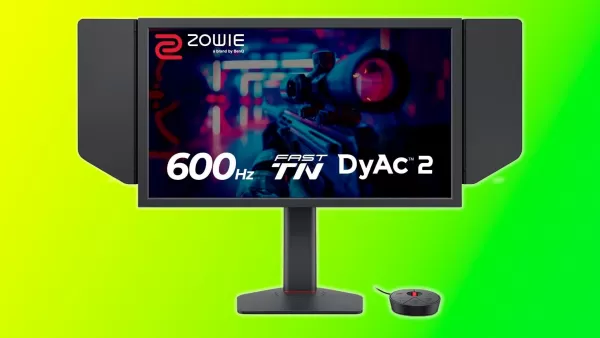 5. BenQ Zowie XL2586X+
### BenQ Zowie XL2586X+
0This monitor is as fast as they come with its 600Hz refresh rate but also includes additional features to offer an engaging picture and a competitive edge. See it at AmazonProduct SpecificationsScreen size24.1"Aspect ratio16:9Resolution1,920 x 1,080Panel typeTNBrightness320cd/m2Refresh rate600HzInputs3 x HDMI 2.1, 1 x DisplayPort 1.4, 1 x 3.5mm audio jackPROSInsanely fastDyAc 2 for improved motion clarityColor enhancing filmTrusted esports brand commonly found in professional tournamentsCONSVery expensiveTN colors and viewing angles aren't great
In the realm of competitive gaming, the BenQ Zowie XL2586X+ reigns supreme. With its unmatched 600Hz refresh rate, this monitor is designed for esports athletes seeking every possible advantage. Often seen in professional tournaments, the Zowie brand is synonymous with reliability and top-tier performance.
The XL2586X+ utilizes a fast TN panel, which, despite its limitations in color and viewing angles, offers the fastest response times available. To enhance its appeal beyond esports, BenQ has incorporated a VividFilm layer for improved color reproduction and DyAc2 technology to enhance motion clarity.
Priced at $999, the XL2586X+ is a luxury item not suited for everyone. However, for those competing at the highest levels of esports, it remains the ultimate choice for its unparalleled responsiveness and competitive features.
When selecting a 1080p monitor, consider these key factors: size, panel type, refresh rate, brightness, and additional features.
Size: Choose a monitor that fits your space. To avoid visible pixels, stick to 27 inches or smaller.
Panel Type: Opt for in-plane switching (IPS) or vertical alignment (VA) panels. IPS offers superior color and viewing angles, while VA provides better contrast. Twisted Nematic (TN) panels are less common and generally recommended only for high-level competitive esports due to their speed.
Refresh Rate: A higher refresh rate means smoother gameplay. Most 1080p gaming monitors offer 120Hz or higher, with 144Hz being a sweet spot. Rates above 200Hz are ideal for competitive gaming.
Brightness: Aim for monitors with brightness levels of 300 nits or higher for vivid pictures, with 400 nits being optimal for well-lit environments.
Additional Features: Look for variable refresh rate support like FreeSync or G-Sync to eliminate screen tearing, along with other features like on-screen reticles, timers, and software support.
A 1080p monitor has a resolution of 1920x1080 pixels, while a 1440p monitor has 2560x1440 pixels, making the latter sharper. However, 1080p monitors are easier to run and more cost-effective, making them a popular choice for many gamers.
For optimal clarity and space, a 1080p monitor should be 27 inches or smaller. Larger sizes may result in a softer image and visible pixels.
Prices vary based on size and features, but you can find excellent 1080p gaming monitors for under $200. This price point is ideal for new PC gamers looking for a balance of performance and affordability.
Girls Frontline 2: Exilium Global Website Goes Live, Along With Its Socials!
Marvel Rivals: Understanding Bussing and Catching It
New Game Plus in Assassin's Creed Shadows: Confirmed?
Top Skills to Prioritize for Yasuke in Assassin’s Creed Shadows
Assassin’s Creed Shadows Movements Reviewed by Two Parkour Athletes
Death Stranding 2 Release Date Unveiled in Massive Trailer
Pokemon GO Leak Teases New Adventure Effects
Amazon Music Unlimited: Free 3-Month Trial Available

World Truck Grand Transport 3D
Download
Farm Country Color By Number
Download
Ludo Doraemon 2018
Download
Klaverjassen - Rotterdams
Download
Flame of Valhalla
Download
Kritika: The White Knights
Download
The Walking Dead: Выжившие
Download
Magic Revenge:Casual IDLE RPG
Download
Chihuahua Dog Simulator
DownloadNintendo Today App Debuts as Fan Content Hub
Mar 24,2026
Death Stranding 2: On the Beach Reveals New Trailer
Mar 17,2026

Cyberpunk 2077 Update 2.3 Delayed to Expand Its Scope
Mar 16,2026
South Park Creators Hire Negotiator Amid $3B Deal Dispute
Mar 16,2026
Clair Obscur Studio debuts Esquie plushie, warns of fakes
Mar 15,2026
 Category




